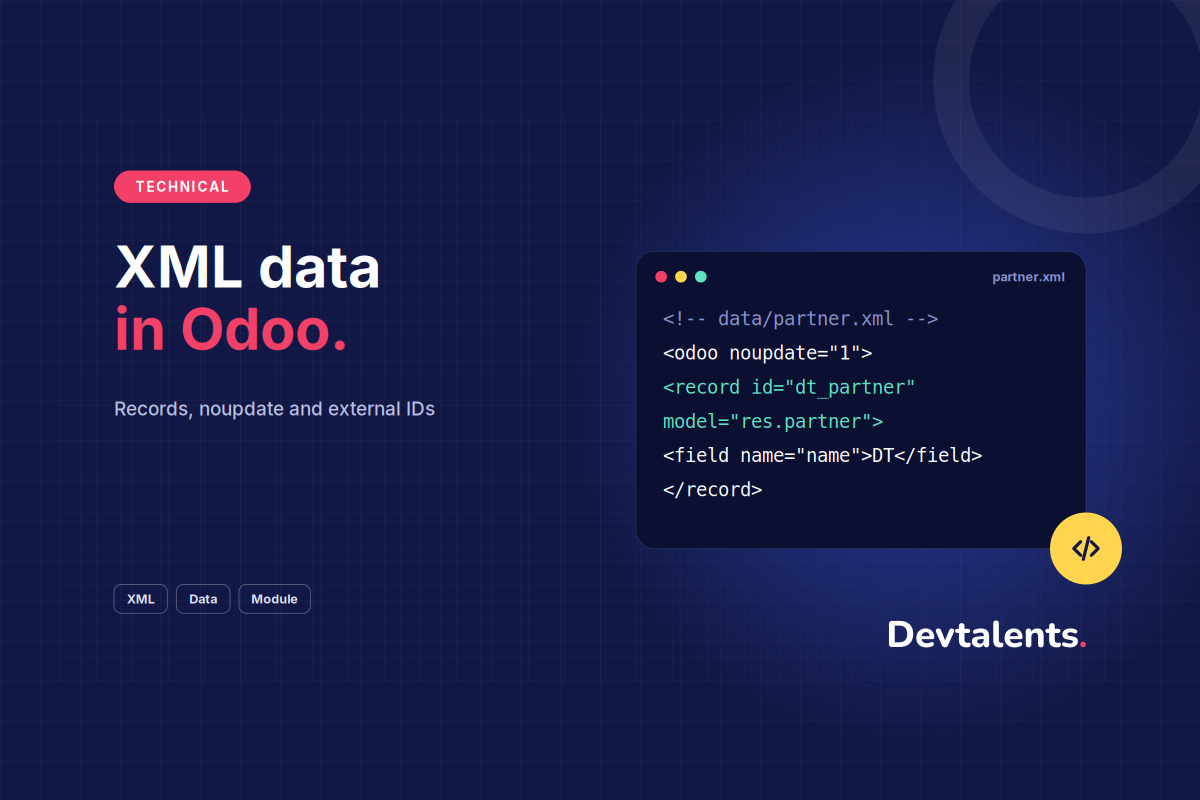

In an Odoo module, XML data files create the records the module needs: products, sequences, e-mail templates, groups, scheduled actions. They also modify the data of another module, delete records, or call a Python method when the module is installed. This guide covers each case with an example that works, and the mistakes we see most often in code reviews.
In this article
Where to declare data files
An XML file is only loaded if it is listed in __manifest__.py. The data key holds what is loaded at every install and every update of the module; the demo key is only used when the database was created with demo data.
__manifest__.py
{
    'name': 'My Module',
    'depends': ['product'],
    'data': [
        'security/ir.model.access.csv',
        'data/product_data.xml',
        'views/product_views.xml',
    ],
    'demo': [
        'demo/product_demo.xml',
    ],
}
Order matters: Odoo loads the files in the order of the list. A record that refers to another one must come after it, or the install stops on an "External ID not found" error.
Create records with <record>
The <record> tag takes the model and an external ID (id). Odoo stores that ID in ir.model.data as module_name.id: this is how it finds the record again at the next update instead of creating a second one.
data/product_data.xml
<odoo>
    <record id="product_audit" model="product.product">
        <field name="name">Odoo audit</field>
        <field name="type">service</field>
        <field name="list_price" eval="950.0"/>
        <field name="categ_id" ref="product.product_category_all"/>
        <field name="sale_ok" eval="True"/>
    </record>
</odoo>
Three ways to fill a field:
- The tag text for text fields:
<field name="name">Odoo audit</field>; reffor a many2one, with the external ID of the target:ref="product.product_category_all";evalfor anything that must be evaluated as Python: numbers, booleans, dates, lists. Withouteval,Truewould be the string "True".
For a many2many or one2many, eval takes ORM commands. (6, 0, ids) replaces the whole list, (4, id) adds a link without touching the others. Since Odoo 15 these tuples have a more readable Python form (Command.set, Command.link), but tuples are still the most common form in XML files:
xml
<record id="partner_acme" model="res.partner">
    <field name="name">Acme</field>
    <field name="is_company" eval="True"/>
    <!-- replace the tags with this list -->
    <field name="category_id" eval="[(6, 0, [ref('my_module.tag_reseller'), ref('my_module.tag_france')])]"/>
</record>
Modify a record of another module
To change data shipped by another module, reuse its full ID, prefixed with the original module name. Only the fields you write are changed; the others keep their value. Add the original module to the depends of yours.
xml
<!-- in my_module: only the listed fields are written -->
<record id="product.product_category_all" model="product.category">
    <field name="name">All products</field>
</record>
A classic trap: if the original record is declared in noupdate="1" (many e-mail templates and sequences are), your change applies when your module is installed, then it is ignored at every update. To force the write, lift the lock for the time of the change:
xml
<!-- unlock the record, write it, lock it again -->
<function name="write" model="ir.model.data">
    <function name="search" model="ir.model.data">
        <value eval="[('module', '=', 'sale'), ('name', '=', 'email_template_edi_sale')]"/>
    </function>
    <value eval="{'noupdate': False}"/>
</function>

<record id="sale.email_template_edi_sale" model="mail.template">
    <field name="subject">Your quotation {{ object.name }}</field>
</record>

<function name="write" model="ir.model.data">
    <function name="search" model="ir.model.data">
        <value eval="[('module', '=', 'sale'), ('name', '=', 'email_template_edi_sale')]"/>
    </function>
    <value eval="{'noupdate': True}"/>
</function>
Use it with care: if the user had edited that e-mail template in the interface, their version is overwritten.
noupdate: data the user can change
Records inside <data noupdate="1"> are created at install, then never rewritten by a module update. That is what you want for a sequence, an e-mail template or a setting the user will adapt: without noupdate, every -u would put your default values back.
xml
<odoo>
    <data noupdate="1">
        <record id="seq_audit" model="ir.sequence">
            <field name="name">Audit</field>
            <field name="code">my_module.audit</field>
            <field name="prefix">AUD/%(year)s/</field>
            <field name="padding">4</field>
        </record>
    </data>
</odoo>
The forcecreate="False" attribute on a <record> goes further: if the record was deleted, the update does not create it again.
Delete records with <delete>
The <delete> tag deletes by external ID or by domain:
xml
<!-- by external ID -->
<delete model="product.product" id="my_module.product_audit"/>

<!-- by domain -->
<delete model="product.product" search="[('default_code', '=', 'OLD-AUDIT')]"/>
In practice we rarely delete. A product, partner or tag already used in orders or journal entries cannot be deleted, and the install fails. Archiving is almost always safer:
xml
<record id="product_audit" model="product.product">
    <field name="active" eval="False"/>
</record>
Call a method with <function>
The <function> tag calls a model method while the file is loaded. It is handy for an initialisation that a plain <record> cannot do. Declare the method with @api.model, since it is called without a record:
models/product.py
from odoo import api, models


class ProductProduct(models.Model):
    _inherit = 'product.product'

    @api.model
    def _dt_fill_default_codes(self):
        for product in self.search([('default_code', '=', False)]):
            product.default_code = 'P%05d' % product.id

    @api.model
    def _dt_set_price(self, xmlid, price):
        self.env.ref(xmlid).list_price = price
Parameters are passed with <value> tags, in the order of the signature. As with fields, eval turns the value into a Python object:
xml
<!-- without parameters -->
<function model="product.product" name="_dt_fill_default_codes"/>

<!-- with parameters, in the order of the method signature -->
<function model="product.product" name="_dt_set_price">
    <value>my_module.product_audit</value>
    <value eval="1200.0"/>
</function>
A function outside a noupdate block runs at every module update: write it so that it can run several times without damage. Inside a noupdate="1" block, it only runs at install. For heavier logic, or logic that must run before or after the install, use
module hooks.
The most common errors
log
ValueError: External ID not found in the system: my_module.product_audit- External ID not found: the file that defines the ID is loaded after the one that uses it, or the module that holds it is missing from
depends. - A change that "does not apply" on update: the record is
noupdate, in your module or in the original one. - A duplicate after an update: the record
idchanged between two versions. Odoo no longer recognises the record and creates a new one. - A boolean or number stored as text:
evalis missing.
To find the external ID of an existing record, turn on developer mode, open the record and choose "View Metadata" in the debug menu, the bug icon in the top bar.
To go further
Data to migrate, or a module that has to evolve cleanly from one Odoo version to the next: that is the daily work of our development team. Custom Odoo development →