

PayTrace Odoo Integration: Our New Card Payment Module
Our new PayTrace module connects the US card payment gateway to Odoo. What your customers see, what your team does from Odoo, the payment flows we tested and how to get started.
Read the article
PayTrace card payments in Odoo, with card details typed in secure fields hosted by PayTrace.
For more details on the module, see its page on the Odoo Apps Store

Card numbers are typed in PayTrace secure fields (Protect.js) and never reach your Odoo database, which keeps your PCI scope to the minimum.
Tested on the PayTrace sandbox with each card; Diners Club and JCB are recognised too if your PayTrace account accepts them.
Customers save their card at checkout or from My Payment Methods, for fast repeat purchases and subscription renewals.
The card is authorized at order and you collect the amount when you ship, or release it with Void.
Open the payment, click Refund and enter the amount: PayTrace refunds the customer, no need to open the Virtual Terminal.
Tax, order lines and shipping can be sent to PayTrace to lower the fees on corporate and purchasing cards.
A double click never charges the card twice, and if PayTrace does not answer in time, Odoo looks the payment up instead of sending it again.
eCommerce, payment links, quotations and invoices in the portal (even without the Website app), donations, Point of Sale online payment and paid appointments.
Real screenshots, taken on the PayTrace sandbox with its public test cards.
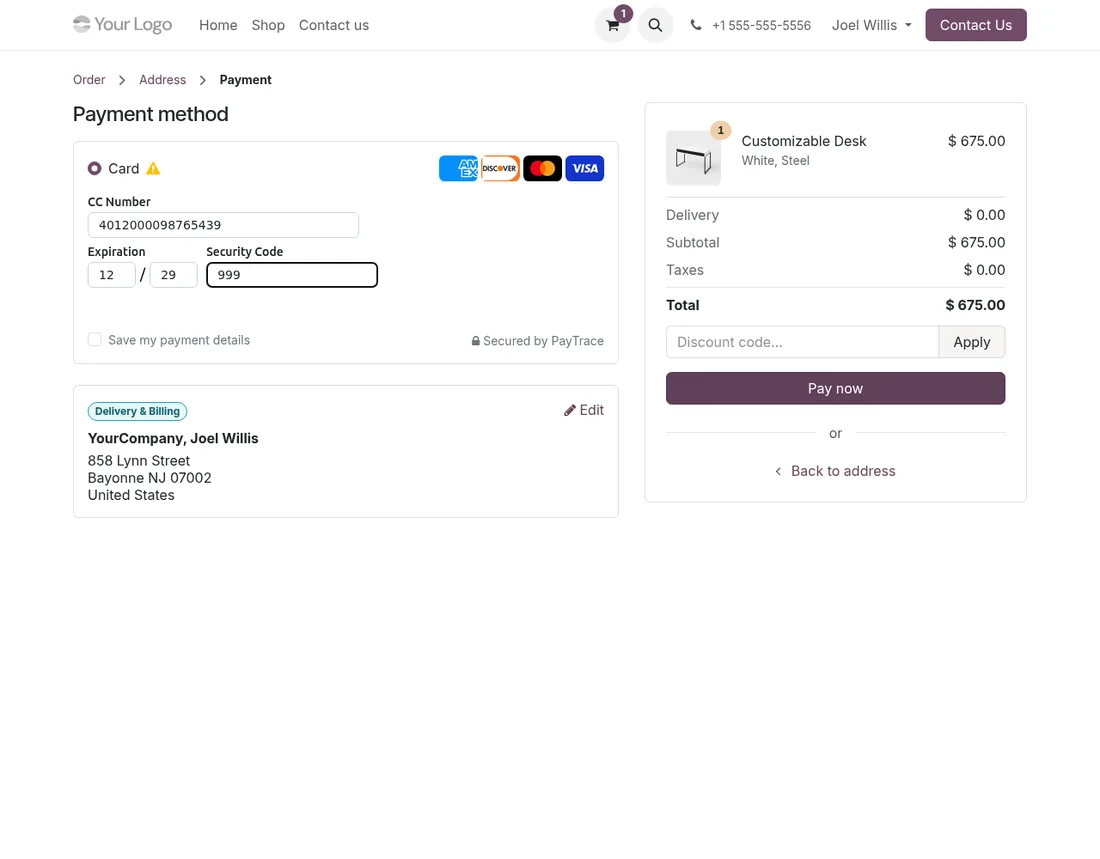
At checkout, the customer picks Card and types the number in the PayTrace secure fields shown inside your Odoo page. The amount is in US dollars.
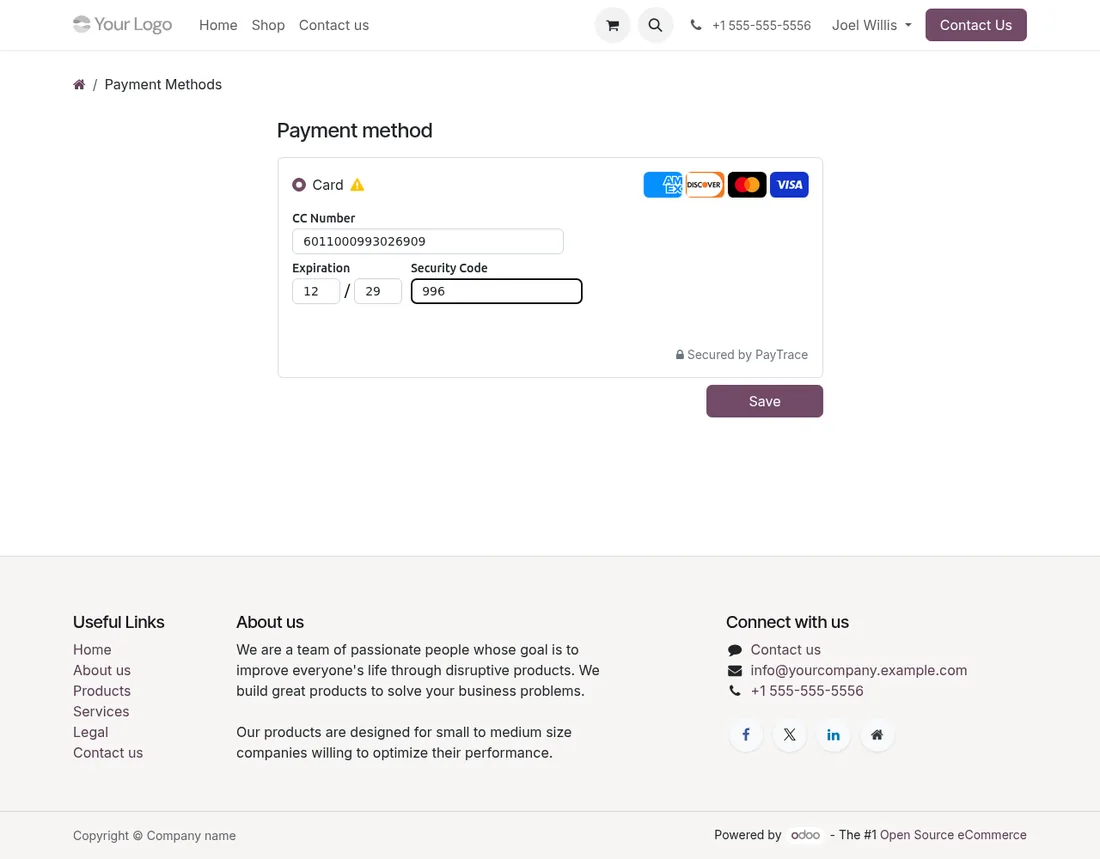
In My Payment Methods, the customer adds a card. Odoo checks it with a small authorization that is voided right away, so nothing is charged.
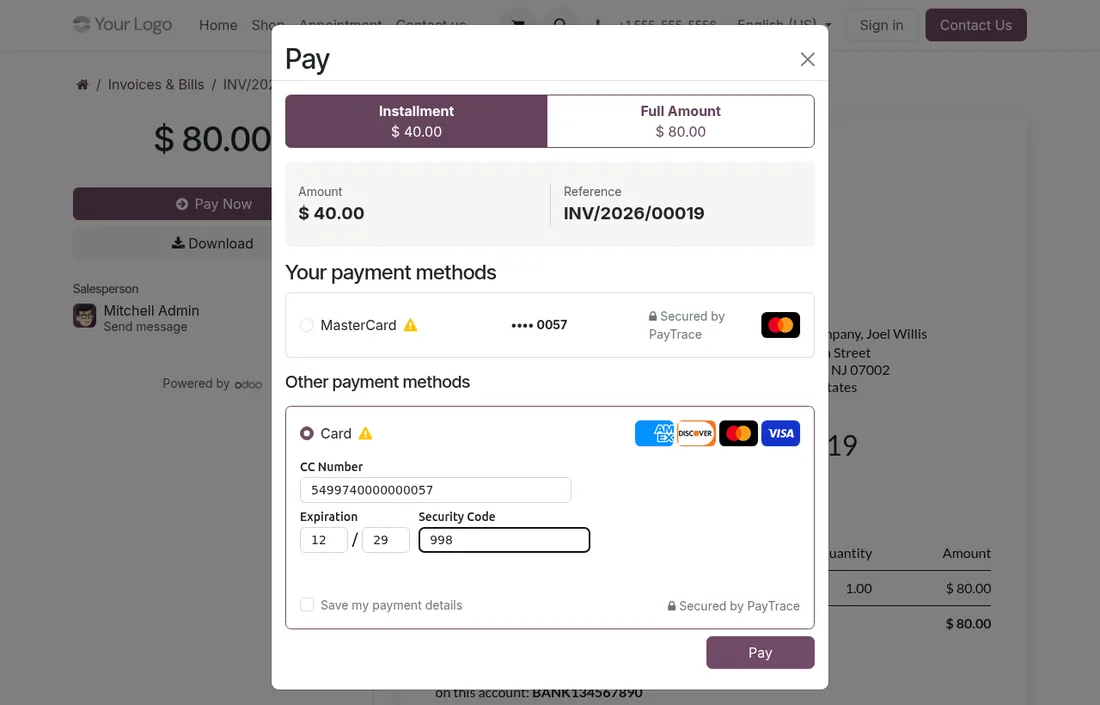
From the portal, the customer pays one installment or the full invoice, with a saved card or a new one.
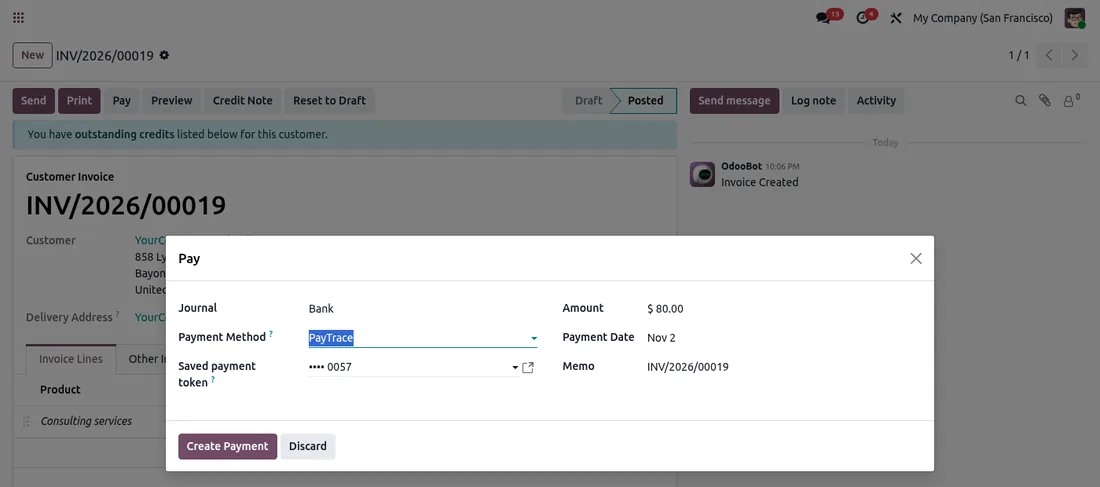
On the invoice, your accountant clicks Pay, picks PayTrace and the customer's card. No card number is ever typed in Odoo.
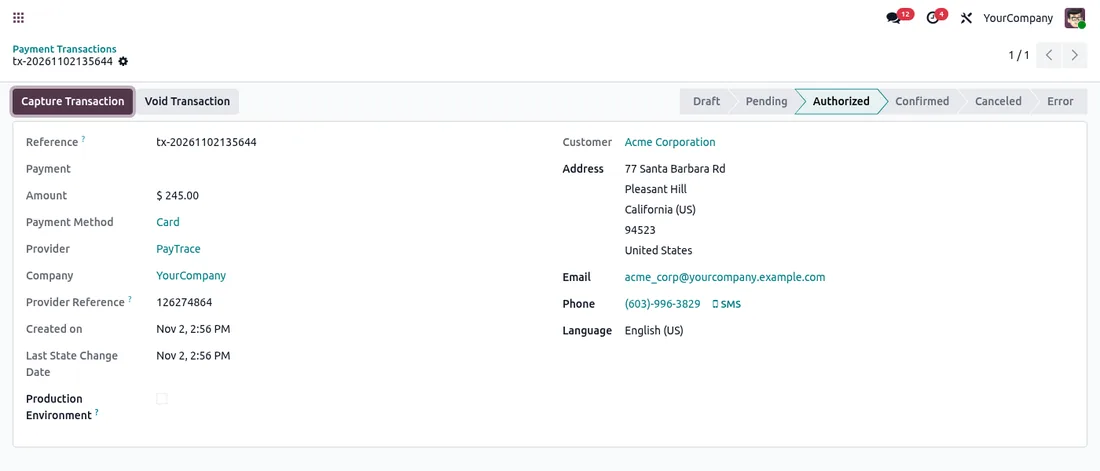
With manual capture, the card is only authorized at order. When you ship, one click collects the amount, or Void releases it.
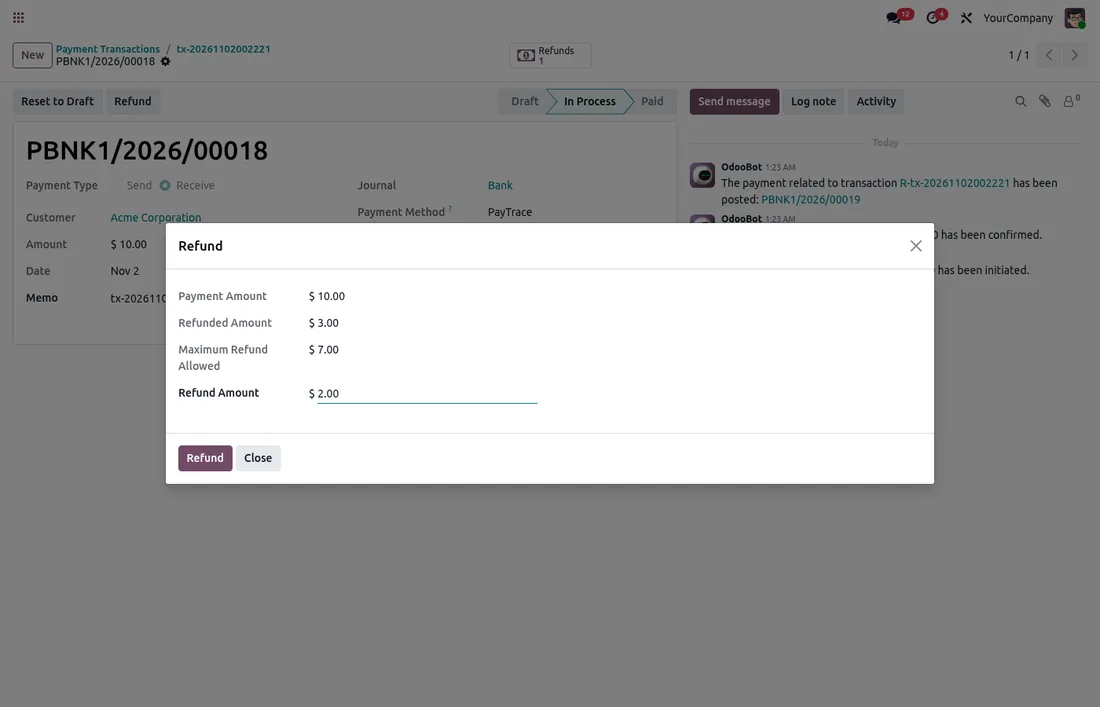
From the payment, refund part of the amount, then another part later. Odoo shows what was already refunded and what is left.
PayTrace settles payments in batches, usually the next business day. The module follows that rule and tells your team what can be done.
| Before settlement | After settlement | |
|---|---|---|
| Give back the full amount | Yes: Odoo voids the payment at PayTrace | Yes: full refund |
| Give back part of it | Not yet: Odoo explains it must wait for settlement | Yes, once or several times |
| Authorized, not captured yet | Capture the authorized amount in one go, or void it | Not applicable |
Selling in Canada too? See our Moneris Payment Provider for Odoo.
Everything is in your PayTrace Virtual Terminal, or your PayTrace contact can help.
PayTrace only works in US dollars, so the payment method shows on USD price lists and websites only. Want to see it on your own flows? Ask for a demo.
Buying the module is the first step. We can take care of the rest with you.
We install the module on your database, enter your credentials and test the whole flow before going live.
Questions and fixes are handled by the team that wrote the module, not by a ticket relay.
Odoo supportSpecific rules for your business go in a separate module, so updates stay simple.
Odoo developmentThe licence is sold by Odoo; the module is then available for your database.
On Odoo.sh or on your own server, like any Odoo module.
Enter the credentials of your provider and choose the options you need.
Validate the whole flow in test mode, then switch to production.
Our new PayTrace module connects the US card payment gateway to Odoo. What your customers see, what your team does from Odoo, the payment flows we tested and how to get started.
Read the articleNo. Until PayTrace settles the payment, usually the next business day, it can only be voided in full. Odoo voids it for a full refund, and tells your team that a partial refund has to wait for settlement.
The module always checks the approved amount against the order. If it does not match, the payment is voided and nothing is charged, so the customer can pay with another card.
The payment stays pending and is never sent again, so the card is never charged twice. A scheduled job looks it up at PayTrace every 15 minutes and updates the order.
No, PayTrace accepts one capture per authorization. If you ship in several parts, capture at the last shipment or charge at order instead.
No. Odoo checks the card with a small authorization that is voided right away. When customers delete a saved card from their portal, it is also deleted from the PayTrace vault.
No: Odoo Online does not accept third-party modules. It installs on Odoo.sh or on your own Odoo server.
Yes. We install the module, configure it with your credentials, test it in test mode and switch to production with you.
The DevTalents team that developed it: fixes, compatibility with new Odoo versions and configuration questions.
Yes. We add the rules specific to your business in a separate module, so that updates stay simple.

Payment Providers
Alma official partner: let your customers pay in 1x–12x installments. Eligibility widget, category exclusion and Alma-approved integration.
Payment Providers
Alma in the Odoo Point of Sale: your customers pay in store now or in 2 to 12 instalments, on their phone. QR code on the cashier and customer display, SMS link or payment on the store's screen, order validated as soon as the customer has paid, refunds from the POS.
Payment Providers
HiPay Enterprise acquirer: CB, PayPal, iDEAL, Bancontact, SEPA, Klarna, Alma, Oney, Wero and more.
Tell us what you need: we reply within 48 hours.
Discuss your project