

PayZen Odoo Integration: Our Payment Module
Our PayZen module connects the Lyra payment platform to Odoo. What your customers see, what your team does from Odoo, the flows we tested and how to get started.
Read the article
PayZen card payments in Odoo, the payment platform from Lyra: your customers pay by CB, Visa or Mastercard with 3-D Secure, either in a form on your own page or on the secure PayZen page.

You choose: the card fields appear on your own payment page, or the customer is sent to the secure PayZen page and brought back to a confirmed order.
The native Odoo Card method, with the brand of each card recorded; 3-D Secure runs when the bank asks for it, and the billing details help the bank approve without troubling the customer.
A returning customer pays in one click with a card kept at PayZen; the card is checked by a small authorization released at once, and a card the customer deletes is also removed at PayZen.
The card is only authorized at the order, and your team collects the amount when you ship, in one click, or releases the authorization if the order is cancelled.
Refund from the accounting payment, in full or in part, several times if needed, without opening the PayZen back office; the refund stays tied to the original payment.
Offer payment in several instalments when your PayZen contract allows it, and find every instalment and its result inside the Odoo order.
Odoo confirms an order only on a result signed by PayZen, for the right amount, and PayZen also notifies Odoo directly so the order is confirmed when the customer closes the page after paying.
Tested on the online shop, on payment links for all or part of an invoice, on invoices paid from the customer portal with or without the Website app, and on subscription renewals charged on the saved card.
These screenshots are real, taken on an Odoo database with a card payment sent to the PayZen test platform.
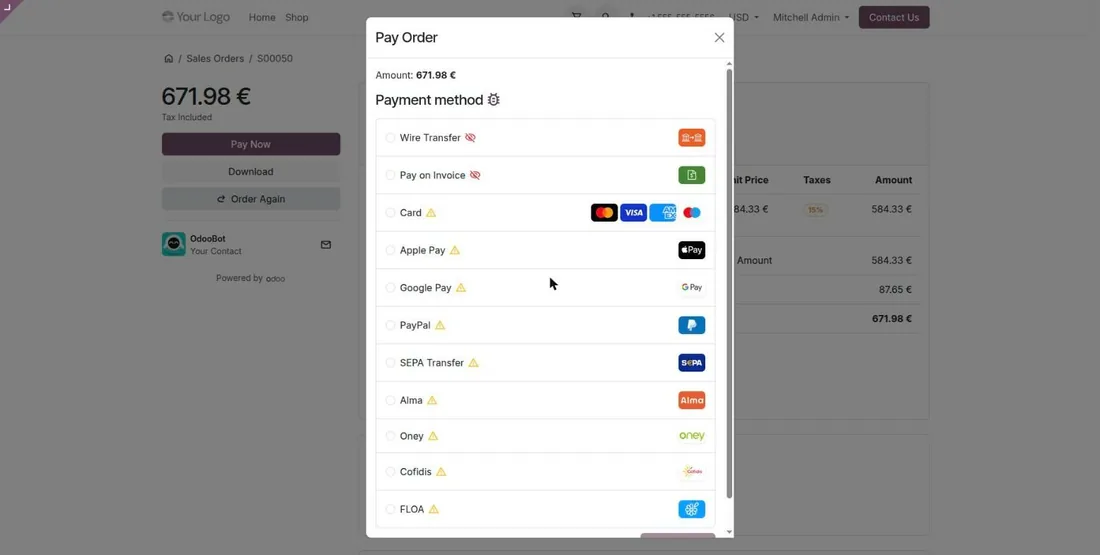
At checkout, the customer picks Card. Depending on your contract, the page can also offer wallets and payment in instalments.
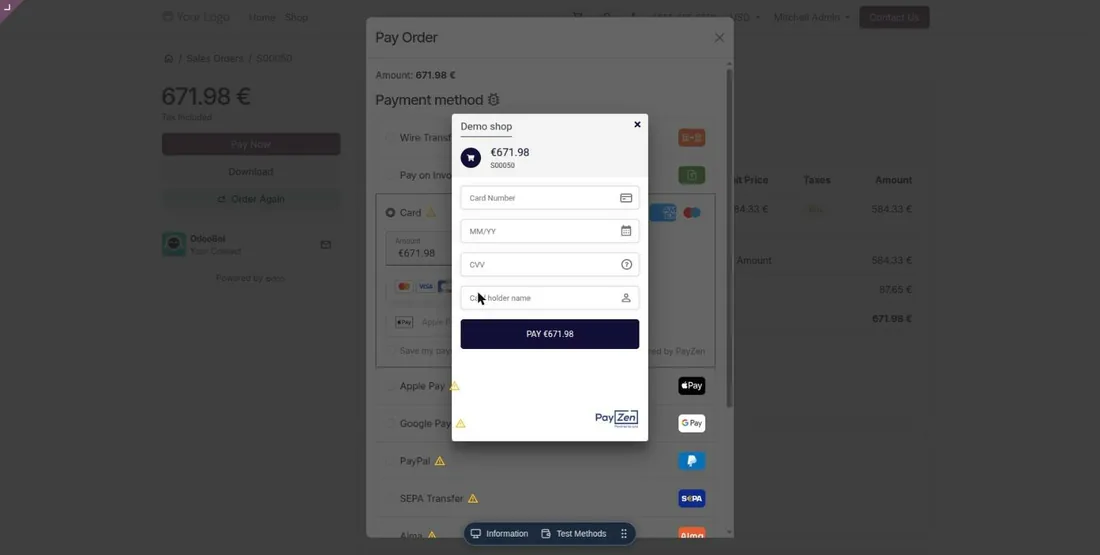
A returning customer finds their saved card and pays in one click. The card stays at PayZen, never in Odoo.
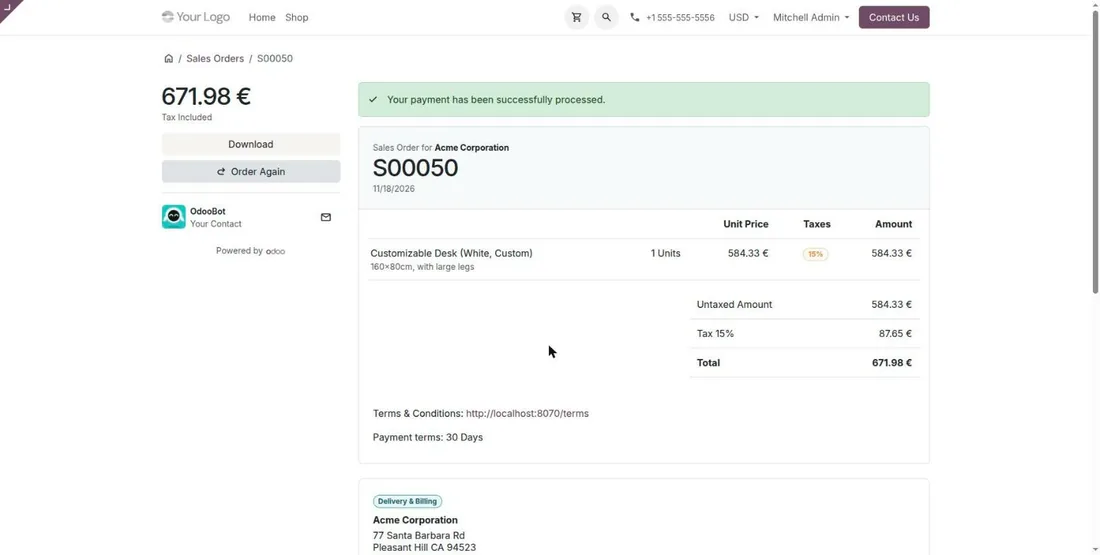
After the payment, the customer returns to the Odoo confirmation and the order confirms by itself.
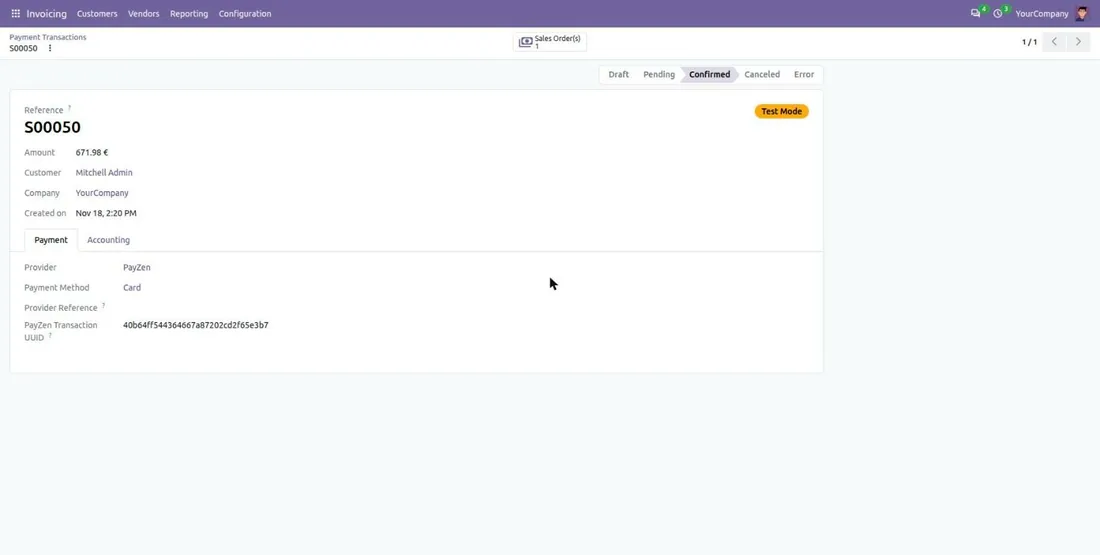
The payment lands in Odoo with its reference, amount and PayZen transaction identifier. Captures, cancellations and refunds appear there too.
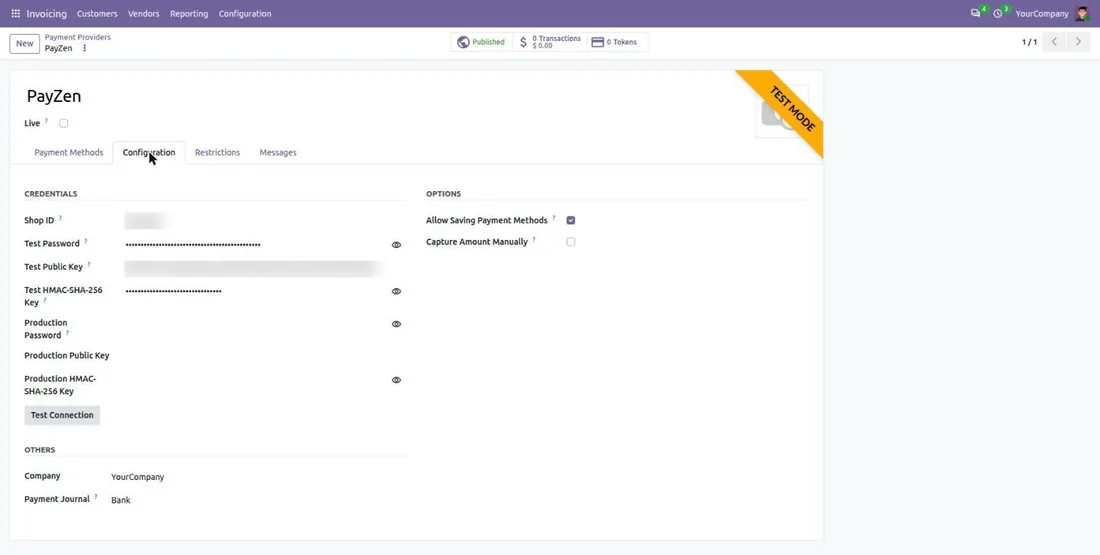
You enter your PayZen shop keys, test the connection, then choose the form on your site or the hosted page.
In redirect mode, the customer is sent to the secure PayZen page to pay, then brought back to your shop. These screenshots are real, taken on the PayZen hosted page in test mode.
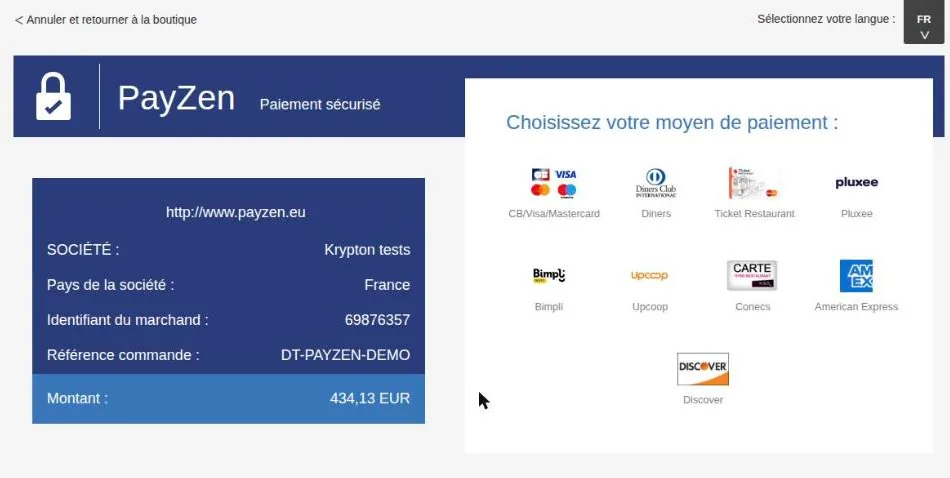
On the secure PayZen page, the customer sees the amount and picks their card or another method, depending on your contract.
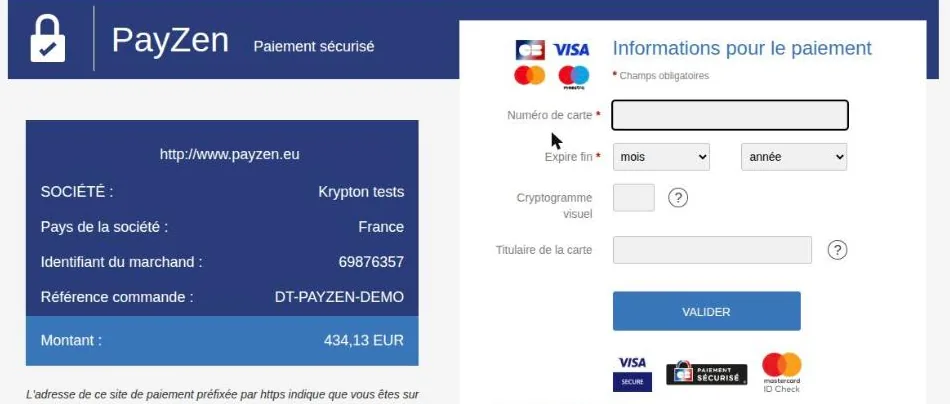
The customer types their card on the PayZen hosted page. The number never goes through your shop or Odoo.
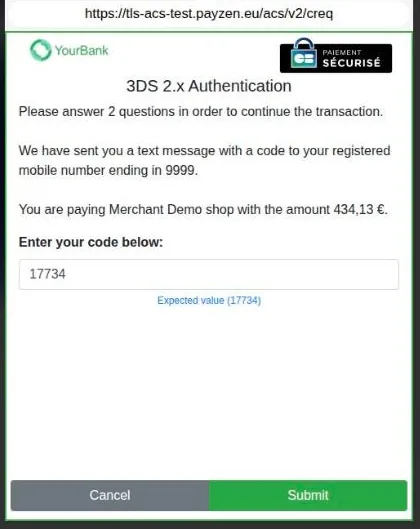
The bank asks the customer to confirm the payment (code by SMS, security question). Tested with a 3-D Secure challenge.
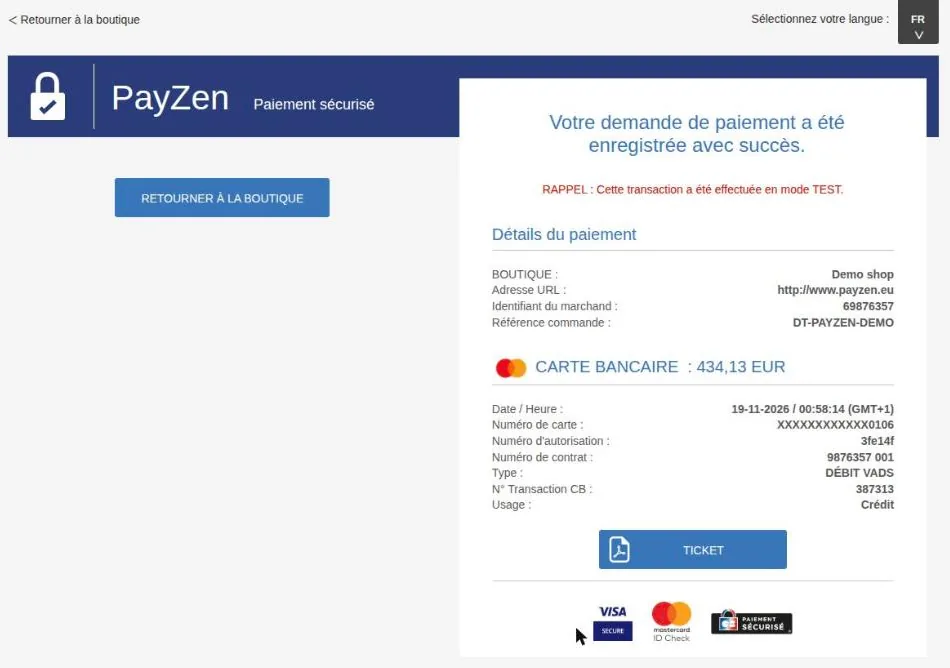
PayZen shows the payment confirmation, then returns the customer to your Odoo shop where the order is confirmed automatically.
You pick the option on the PayZen payment provider in Odoo, whichever suits your shop.
| Form on your site | PayZen payment page | |
|---|---|---|
| Where the customer types the card | In PayZen fields, on your Odoo page | On the PayZen hosted payment page |
| The customer stays on your shop | Yes | They come back after paying |
| Bank's 3-D Secure code | Yes | Yes |
| Saved card, one-click payment | Yes | Yes |
| Refund and capture from Odoo | Yes | Yes |
The form on your site keeps the customer on your shop. The hosted page suits you if you prefer PayZen to show the payment screen itself. Either way, you manage the payment from Odoo.
Every action starts from Odoo, without opening the PayZen back office.
| Situation | In Odoo | Result |
|---|---|---|
| Order authorized, not shipped yet | Capture at shipping, or cancel the authorization | Nothing is charged until you capture |
| A customer returns an item | Refund in full or in part | The refund is tied to the original payment |
| An invoice to settle | Charge the card the customer saved | Without ever typing a card number |
| Payment in instalments | Offer the instalments to the customer | Each instalment appears in the order |
PayZen is the payment platform from Lyra. Do you collect with Banque Populaire or Caisse d'Épargne? See our Systempay module instead.
What to ask for depends on the option you choose: the form on your site or the hosted page.
Not sure which option to enable? We install the module and connect it to your PayZen shop: contact us.
Buying the module is the first step. We can take care of the rest with you.
We install the module on your database, enter your credentials and test the whole flow before going live.
Questions and fixes are handled by the team that wrote the module, not by a ticket relay.
Odoo supportSpecific rules for your business go in a separate module, so updates stay simple.
Odoo developmentThe licence is sold by Odoo; the module is then available for your database.
On Odoo.sh or on your own server, like any Odoo module.
Enter the credentials of your provider and choose the options you need.
Validate the whole flow in test mode, then switch to production.
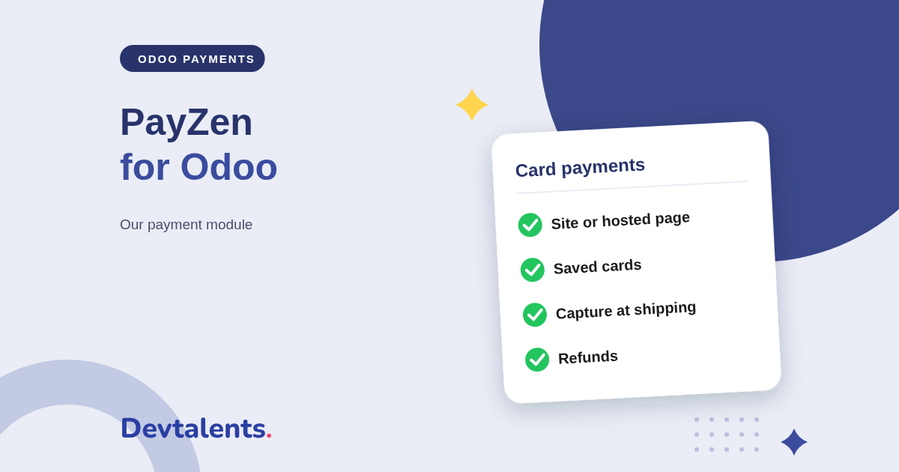
Our PayZen module connects the Lyra payment platform to Odoo. What your customers see, what your team does from Odoo, the flows we tested and how to get started.
Read the articleYou choose what suits you. Card fields embedded in your site keep the customer on your shop. The PayZen hosted page suits you if you prefer PayZen to display the payment screen itself. Both stay manageable from Odoo.
Yes. You refund in full or in part from the payment in Odoo, without opening the PayZen back office. The refund is tied to the original payment, which keeps reconciliation simple.
Yes, if your PayZen contract allows it. The module offers payment in instalments and the Oney, Cofidis, FLOA and Alma solutions, and every instalment appears in the Odoo order.
The payment is not lost. PayZen notifies Odoo on its side, and the order updates by itself, even if the customer did not come back to your shop.
Both rely on the same Lyra payment technology. Systempay is the brand of Banque Populaire and Caisse d'Épargne; PayZen is offered by Lyra and by other banks and providers. Our module exists for both, with the same capabilities in Odoo.
No: Odoo Online does not accept third-party modules. It installs on Odoo.sh or on your own Odoo server.
Yes. We install the module, configure it with your credentials, test it in test mode and switch to production with you.
The DevTalents team that developed it: fixes, compatibility with new Odoo versions and configuration questions.
Yes. We add the rules specific to your business in a separate module, so that updates stay simple.
Payment Providers
Alma official partner: let your customers pay in 1x–12x installments. Eligibility widget, category exclusion and Alma-approved integration.
Payment Providers
Alma in the Odoo Point of Sale: your customers pay in store now or in 2 to 12 instalments, on their phone. QR code on the cashier and customer display, SMS link or payment on the store's screen, order validated as soon as the customer has paid, refunds from the POS.
Payment Providers
HiPay Enterprise acquirer: CB, PayPal, iDEAL, Bancontact, SEPA, Klarna, Alma, Oney, Wero and more.
Tell us what you need: we reply within 48 hours.
Discuss your project