



Payment Providers
Alma Payment Provider
Alma official partner: let your customers pay in 1x–12x installments. Eligibility widget, category exclusion and Alma-approved integration.

Integrate Scalapay into Odoo and let customers pay in 3 or 4 interest-free installments.
For more details on the module, see its page on the Odoo Apps Store

Your customers spread their purchase with no fees or interest on their side and no credit check.
The 3x or 4x instalment amounts are displayed on the product, cart and checkout pages.
The customer clicks Pay Now, completes the payment at Scalapay and comes back to Odoo.
Once Scalapay validates the payment, the order status is updated in Odoo.
Each Scalapay transaction is recorded with the payment method used.
Scalapay payments can be refunded from Odoo.
Enter the API key and merchant token from the Developer section of the Scalapay partner portal, test, then go live.
Real screenshots, taken on the Scalapay test platform.
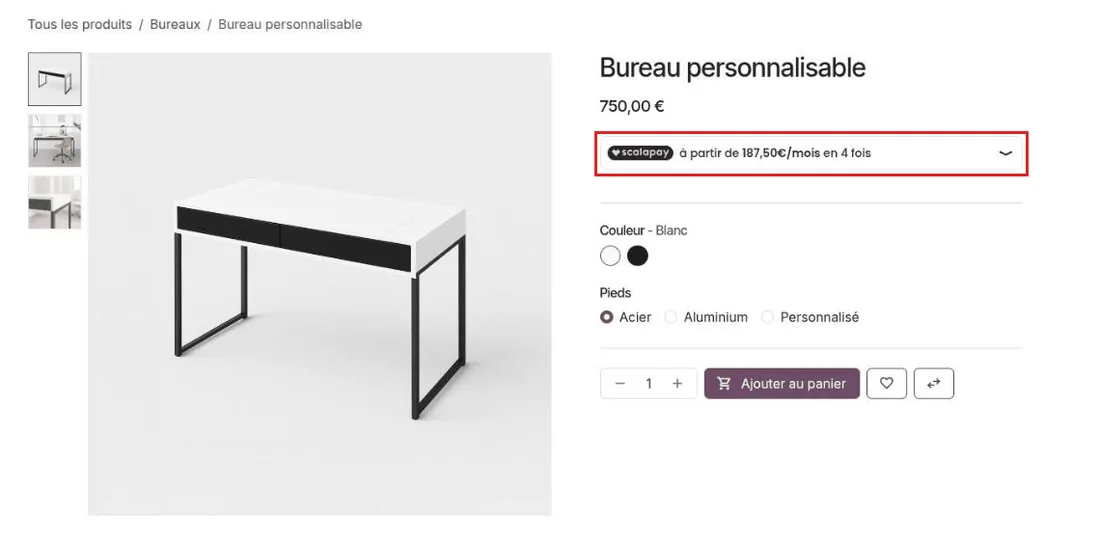
On the product page, the customer reads "from €187.50/month in 4 installments" before the product is even in the cart.
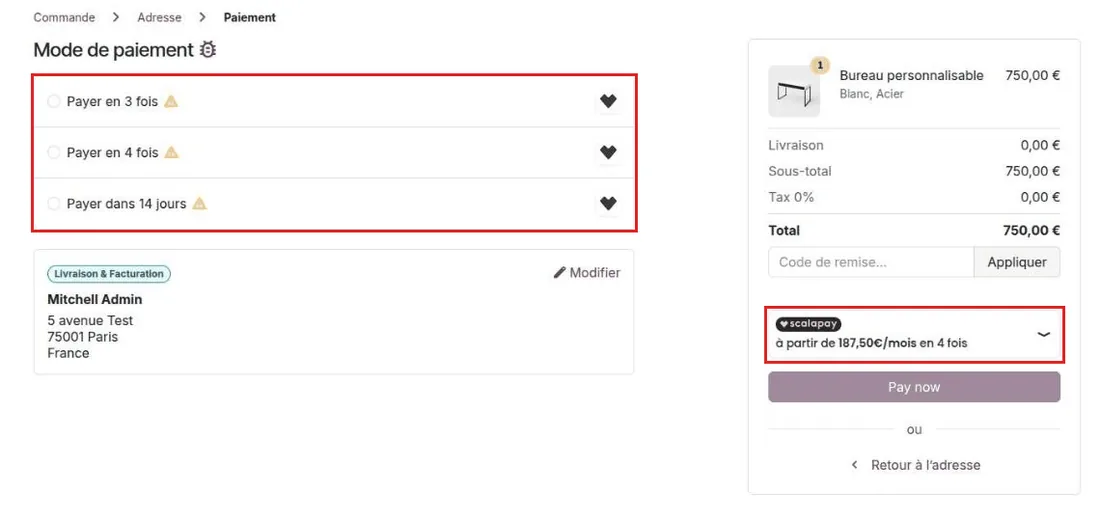
Pay in 3, pay in 4 or pay in 14 days: the customer sees the offers of your contract, with the widget repeated under the total.
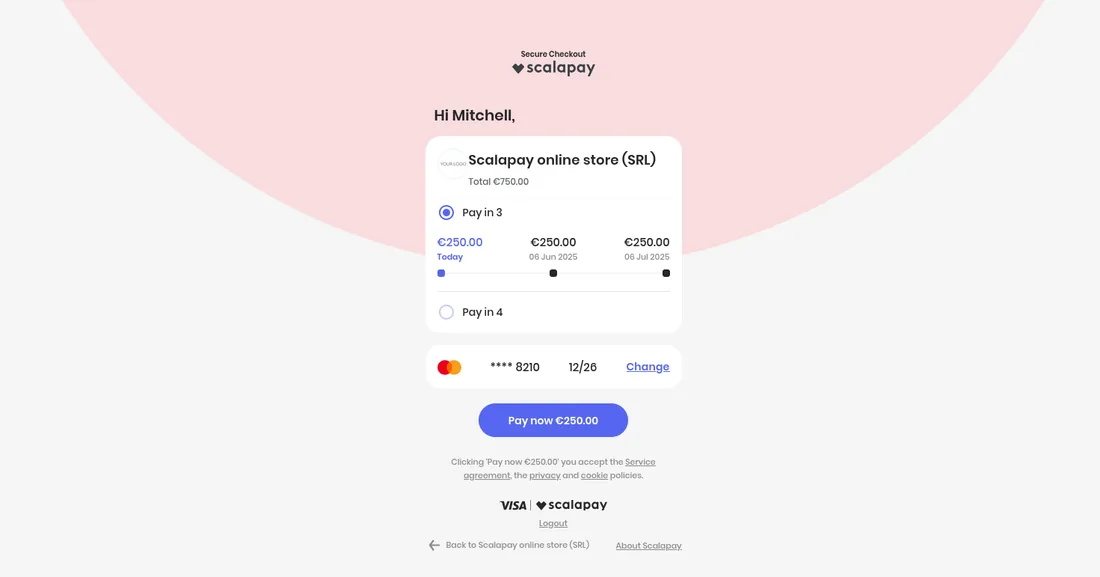
At Scalapay, the customer confirms the offer, sees the installment dates and pays the first one by card.
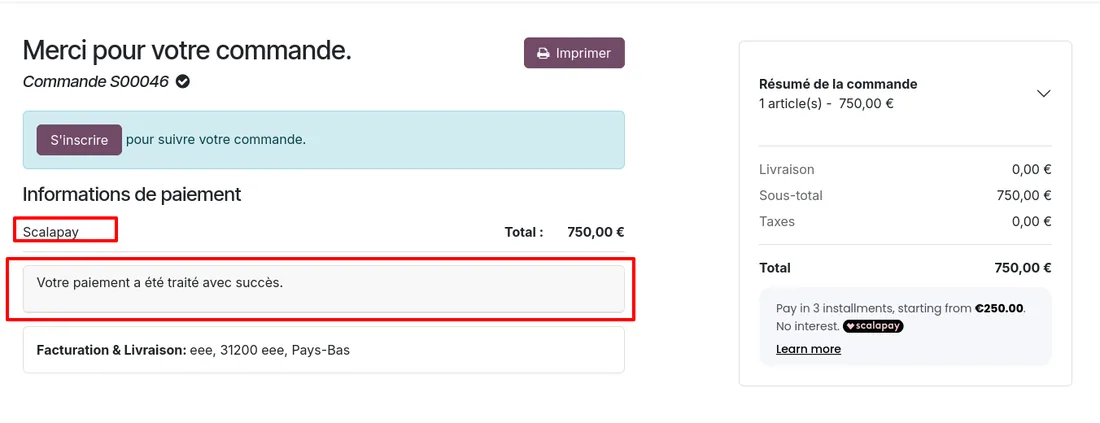
Back on Odoo, the customer sees the Scalapay payment as processed. Odoo read the payment back from Scalapay before confirming.
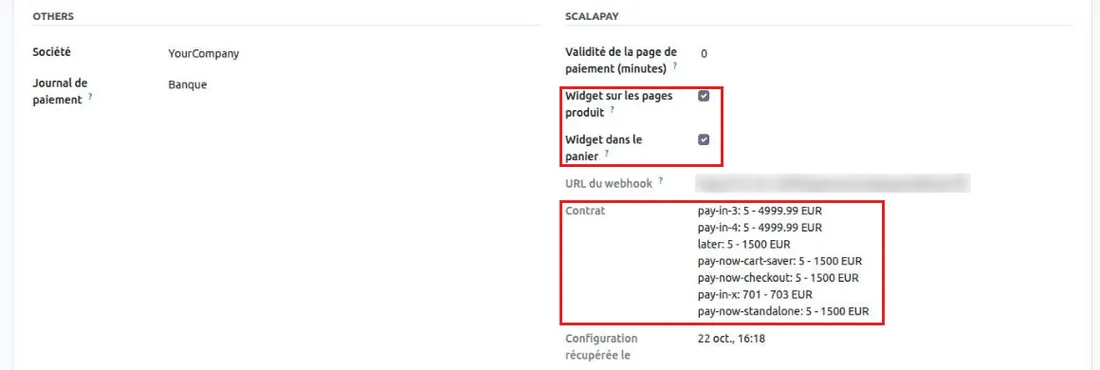
The connection test fetches the products and amounts of your contract. Scalapay is only offered for an eligible amount.
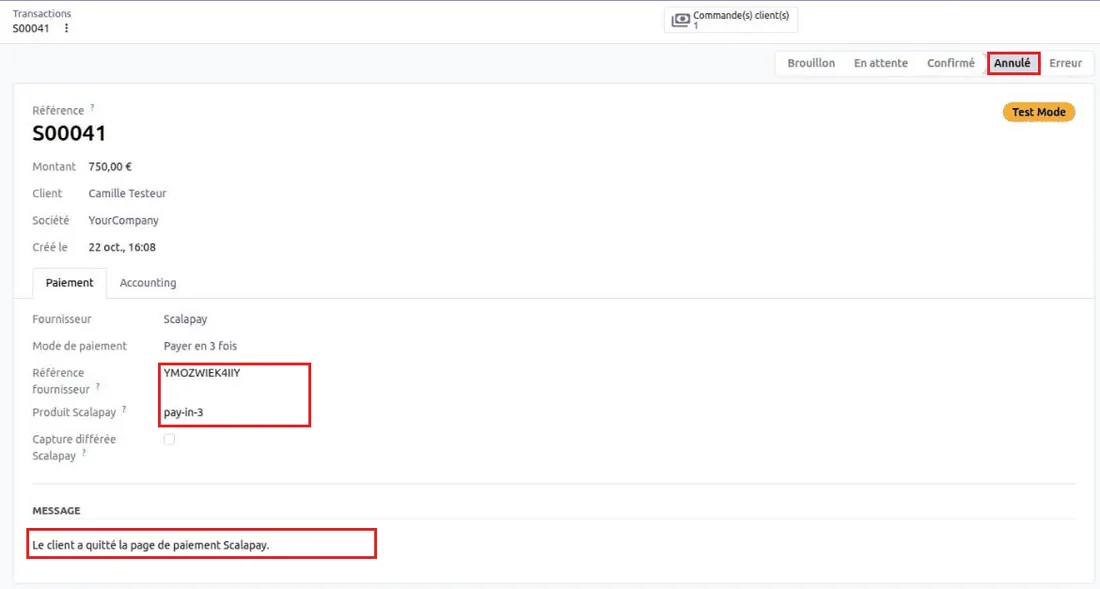
When the customer leaves the Scalapay page, the transaction is cancelled with a clear message for your team.
The module creates one payment method per Scalapay product. You turn on the ones in your contract.
| What the customer does | Active at install | |
|---|---|---|
| Pay in 3 | Pays the first third today, then two installments | Yes |
| Pay in 4 | Pays the first quarter today, then three installments | Yes |
| Pay in 14 days | Orders today and pays later, as set in your contract | No, to turn on |
| Pay in full | Pays the full amount at once at Scalapay | No, to turn on |
Scalapay only takes payments in euros, in France and its overseas departments, Austria, Belgium, Finland, Germany, Italy, the Netherlands, Portugal and Spain.
Your access is in the Scalapay Partner Portal, sent by the Scalapay integration team.
With manual capture, the authorized payment must be captured or voided within 5 days, always for the full amount. If you ship later than that, keep automatic capture and refund from the credit note when an item comes back.
Buying the module is the first step. We can take care of the rest with you.
We install the module on your database, enter your credentials and test the whole flow before going live.
Questions and fixes are handled by the team that wrote the module, not by a ticket relay.
Odoo supportSpecific rules for your business go in a separate module, so updates stay simple.
Odoo developmentThe licence is sold by Odoo; the module is then available for your database.
On Odoo.sh or on your own server, like any Odoo module.
Enter the credentials of your provider and choose the options you need.
Validate the whole flow in test mode, then switch to production.
No. Scalapay pay in 3 or 4 is interest-free and fee-free for the customer. Scalapay presents its pay in 3 and pay in 4 offers this way on its own checkout page.
Yes. They create it or log in on the Scalapay page with their mobile number, at payment time. Returning customers find the card saved on their account.
Yes. Scalapay notifies Odoo of every payment, and an automatic job checks every 30 minutes the payments authorized by customers who did not come back, and captures them.
From the credit note or the payment in Odoo, in full or in part, several times if needed. The refund is sent to Scalapay without opening its portal.
No: Odoo Online does not accept third-party modules. It installs on Odoo.sh or on your own Odoo server.
Yes. We install the module, configure it with your credentials, test it in test mode and switch to production with you.
The DevTalents team that developed it: fixes, compatibility with new Odoo versions and configuration questions.
Yes. We add the rules specific to your business in a separate module, so that updates stay simple.
Payment Providers
Alma official partner: let your customers pay in 1x–12x installments. Eligibility widget, category exclusion and Alma-approved integration.
Payment Providers
Alma in the Odoo Point of Sale: your customers pay in store now or in 2 to 12 instalments, on their phone. QR code on the cashier and customer display, SMS link or payment on the store's screen, order validated as soon as the customer has paid, refunds from the POS.

Payment Providers
HiPay Enterprise acquirer: CB, PayPal, iDEAL, Bancontact, SEPA, Klarna, Alma, Oney, Wero and more.
Tell us what you need: we reply within 48 hours.
Discuss your project