
Where you host Odoo decides what you can do with it
Odoo Online, Odoo.sh or your own server: on paper, it is the same software. In practice, this choice sets which modules you can install, when your upgrades happen, what you will have to look after and how far your project can grow. It is a decision worth making with your eyes open, before the first invoices are entered.
We work on all three types of hosting, for companies getting started as well as for databases that have been in production for years. Here is what each one really allows, what it costs beyond the subscription, and how to choose for your situation.
In this article
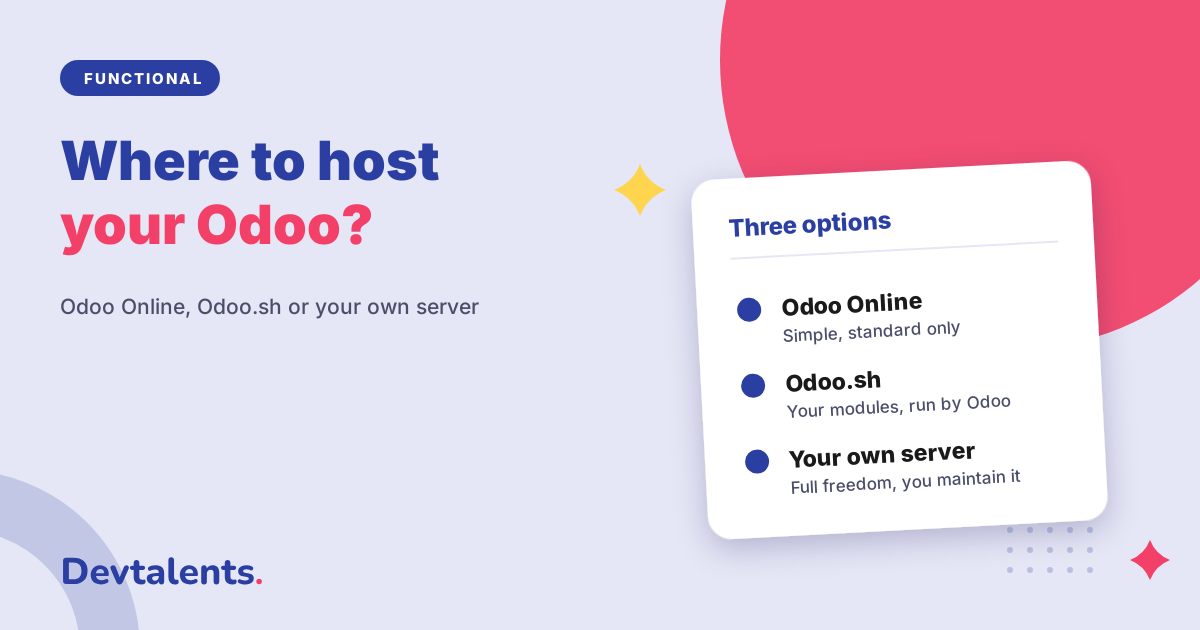
The three options in short
Odoo Online
Odoo's cloud offer: you create your database on odoo.com and Odoo takes care of everything else, servers, backups and updates. The trade-off: only apps provided by Odoo can be installed.
Odoo.sh
Odoo's hosting platform for databases that need extra modules: Odoo runs the infrastructure and the backups, you (or your Odoo partner) add your own modules, with test copies before every release to production.
Your own server
Odoo installed on a server you rent or own. You decide everything, including the free Community edition. But security, backups and updates become your job, or your provider's.
The deciding question: will you need non-standard modules?
Odoo Online only accepts Odoo's own apps. No modules from other publishers on the Odoo Apps Store, no custom development. This rule settles most decisions, and it affects more companies than they expect at the start.
You will need a non-standard module if, for example:
- your bank has no payment connector in Odoo, such as Monetico for Crédit Mutuel or CAWL for Crédit Agricole (see our comparison Monetico, CAWL or Axepta);
- you need to connect Odoo to a PrestaShop or Shopify store, a carrier or another business application;
- your business has a rule the standard does not cover: a pricing calculation, an approval flow, a specific document.
Odoo Studio, Odoo's no-code customisation tool, works on Odoo Online and is enough to add fields or adapt a screen or a report. It does not replace a real module as soon as you need to talk to an outside service or automate complex logic. If one of the cases above applies to you, or is likely to within a year or two, Odoo Online is not the right starting point.
Side by side
Odoo Online
Modules
Odoo apps and Odoo Studio only.
Edition
Enterprise, with an Odoo subscription.
Updates
Handled by Odoo, with early access to intermediate versions.
Backups and security
Handled by Odoo.
Best for
Companies whose needs fit the standard.
Odoo.sh
Modules
All of them: Odoo apps, Apps Store modules, custom development.
Edition
Enterprise, with Odoo's Custom plan.
Updates
You pick the time, after testing on a copy of the database.
Backups and security
Handled by Odoo.
Best for
Companies with specific modules that do not want to manage a server.
Your own server
Modules
All of them, without restriction.
Edition
Community, free, or Enterprise with the Custom plan.
Updates
You pick the time, and you carry them out.
Backups and security
Your responsibility: copies, monitoring, security fixes.
Best for
Companies with strong constraints, or that want Community.
Updates and version upgrades
Odoo releases one major version a year. On Odoo Online you also receive intermediate versions throughout the year, and the upgrade to the next major version is organised by Odoo within a timeframe it sets. That is comfortable as long as everything is standard: there is nothing to migrate but your data.
On Odoo.sh and on your own server, you stay on a major version as long as you wish, within Odoo's support period, and you decide when to migrate. For the Enterprise edition, Odoo provides a service that migrates standard data; specific modules, however, have to be adapted to each new version. That is the item to plan for, and it is often what makes or breaks a migration. We prepare it with an inventory of the modules and a dry run on a copy of the database: see our Odoo migration page.
What each option really costs
Odoo's prices change regularly; the current price list is on odoo.com. More useful than a figure: knowing what makes up the bill.
- Odoo Online: the Odoo subscription, based on the number of users and the plan. Hosting is included.
- Odoo.sh: the Odoo subscription on the Custom plan, plus Odoo.sh hosting, billed separately according to the computing power and storage you choose.
- Your own server: the server rental, the Enterprise subscription if you choose it, and above all the time spent running it. This is the most underestimated cost: tested backups, security fixes, monitoring, performance tuning. Our article on sizing Odoo servers gives an idea of what a well-tuned installation takes.
The Community edition on your own server has no licence fee, but it is not free either: it has to be installed, secured and maintained, and some Enterprise features are missing from it.
Our advice for your situation
You are getting started and your needs are standard
Sales, purchases, invoicing, simple inventory: start on Odoo Online. It is the fastest way to get going and you will have no server to look after. Just check, before signing, that your bank and your current tools have a standard connector.
You have a specific need, or soon will
A bank payment module, a connector, a business rule: choose Odoo.sh. You keep the peace of mind of hosting managed by Odoo, with the freedom to install what you need. It is the option we recommend most often to growing small and mid-sized businesses.
You have strong constraints
Requirements on where data is hosted, large volumes, many integrations, an in-house IT team, or the choice of the Community edition: your own server makes sense. Provided you plan, from day one, who will run it day to day.
Can you switch hosting later?
Yes, an Odoo database can be moved. The most common move is from Odoo Online to Odoo.sh, the day a non-standard module becomes necessary: the database is copied, tested on Odoo.sh with its new modules, then switched over. The other way round is harder, since everything non-standard has to be removed first. A change of hosting is prepared like a small migration: with a test copy and a switchover date chosen outside your busy season.
FAQ
Can you install an Odoo Apps Store module on Odoo Online?
No, unless it is published by Odoo itself. Modules from other publishers, such as our payment modules, install on Odoo.sh or on your own server.
Does Odoo.sh work with the Community edition?
No. Odoo.sh is for the Enterprise edition, with the Custom plan. For Community, you need your own server or a hosting company.
Who takes care of backups?
Odoo, on Odoo Online and Odoo.sh. On your own server, organising them is up to you, and above all checking regularly that a restore actually works.
Which hosting is the fastest?
None by default. On Odoo.sh and on your own server, speed depends on the power you reserve and on the tuning; on Odoo Online, it is managed by Odoo. The slowness we come across is more often due to an undersized server or a badly written module than to the hosting itself.
Can you help us choose and set things up?
Yes. We start from your needs for the next two or three years, recommend the right hosting, then install, configure and support the go-live, including moving an existing database.
Unsure where to host your Odoo?
Tell us about your business, your tools and your plans: we will tell you which hosting fits, and what to plan for next. Let's talk about your project, or see how we support Odoo implementations.