
One software instead of ten
Quotes in a spreadsheet, invoices in another software, stock tracked by hand, leads lost in e-mails: many SMEs spend more time copying figures than reading them. Odoo answers this problem by bringing these activities together in a single database.
Here is what Odoo concretely brings to an SME, how to get started, and the limits to know before choosing. We have been implementing it since 2014: these are the questions our clients ask before they start.
In this article
One database for the whole company
In Odoo, an accepted quote becomes an order; the order triggers the delivery, and the purchase if stock is missing; the delivery allows the invoice; the payment, once reconciled, settles the invoice. Each step takes over the data of the previous one: nothing is keyed in twice.
- CRM: leads, opportunities and follow-ups in one place.
- Sales and Invoicing: quotes, orders, invoices and payment follow-up.
- Purchase and Inventory: supplier orders, receipts, stock and replenishment.
- Project and Timesheets: tasks, planning and time spent, billable to the customer.
- Employees: time off, expenses, recruitment.
- Website and eCommerce: an online shop linked to stock and invoicing.
Reports read the same data: revenue, margin, stock or late payments are up to date without exports or intermediate spreadsheets.
Apps added over time
Odoo is made of apps installed one by one. An SME often starts with sales, invoicing and CRM, then adds inventory, purchase or the website when the need arises, without changing software or migrating its data again. Before installing a new app, one question is enough: does it replace a tool or a re-keying you have today?
Community or Enterprise, Odoo Online or your own server
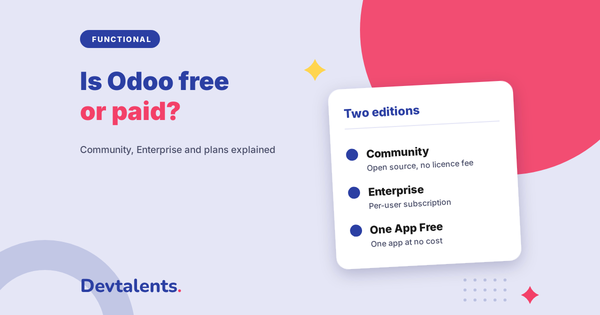
Odoo comes in two editions. Community is open source and free. Enterprise is paid, per user, and adds apps and features such as bank synchronization, Odoo Studio or Odoo's upgrade service. We detail the differences in our article Is Odoo free or paid?
For hosting, Odoo Online is the simplest but accepts no custom module; Odoo.sh and your own server leave you free. See Odoo Online, Odoo.sh or your own server: which one to choose?
Fitting Odoo to the way you work
Fields, views, reports and simple automations are created with Odoo Studio, in the Enterprise edition. Beyond that, a separately developed module is added without touching the standard code, so you can keep following new versions: see Odoo customization.
Before developing, we always check what already exists: thousands of modules are published on the Odoo Store and by the OCA, the association that brings the Odoo community together.
The limits to know
- A project to prepare. Odoo installs in minutes, but a setup that fits your business requires describing your processes, cleaning your data and training your teams.
- Customizations to maintain. Every custom module has to be ported to the next Odoo version. The more there are, the more the upgrade costs: stick to the standard when it is enough.
- Versions that move fast. Odoo releases a major version every year and supports the last three: plan an upgrade every two or three years.
- Very specialized needs. Some trades need additional modules, or a specialized software connected to Odoo. In France, payroll is often left to a dedicated software or to the accountant.
How to get started
- Review: your processes, your current tools and what makes you lose time today.
- Configuration of the selected apps, on a test database.
- Data migration: customers, products, stock, open invoices, checked with your team.
- Training of each team on its own screens.
- Adjustments after the first weeks of real use.
This is the method of our Odoo implementation.
Frequently asked questions
Is Odoo suited to a small company?
Yes. Many SMEs start with a few users and two or three apps, then expand. The question is not size but need: if a spreadsheet and an invoicing software are enough for you, Odoo is not essential.
Is Odoo free?
The Community edition is; the Enterprise edition is paid, per user. The differences are detailed in our article Is Odoo free or paid?
How long does it take to set up Odoo?
It depends on the number of apps, the data to migrate and the customizations. We give a schedule after the review, app by app.
Is Odoo right for your company?
Tell us about your business and your current tools: we will tell you what Odoo can replace, and where to start. See our Odoo implementation support, or let's talk about your project.