
Paybox Direct: Paybox card payments on your own Odoo pages
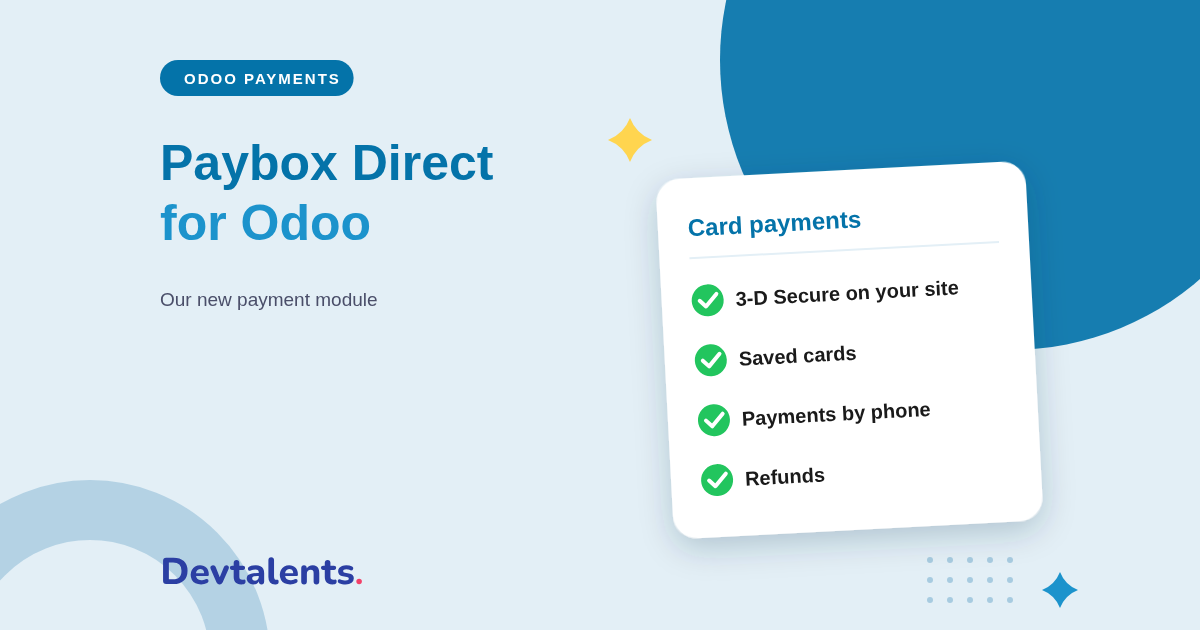
Paybox, the payment platform of Verifone, is one of the most widely used online payment solutions among French merchants. Our new Paybox Odoo integration uses the Paybox Direct offer: customers pay by card without leaving your website, with 3-D Secure, and every payment is recorded in Odoo with its order, its invoice and its accounting entry.
You have a Paybox contract, or Up2pay e-Transactions from Crédit Agricole, and you want to take card payments in Odoo? This article covers what our Paybox module for Odoo does, what your customers see, what your team does from Odoo, the payment flows we tested one by one on the Paybox test platform, and what to ask Paybox before you start.
In this article
- Paybox Direct or the Paybox payment page?
- Paybox card payments with 3-D Secure in Odoo
- Captures, refunds and payments by phone
- Every Odoo payment flow we tested with Paybox
- A Paybox payment gateway built never to charge twice
- Setting up the Paybox module in Odoo
- Paybox and Odoo: frequently asked questions
Paybox Direct or the Paybox payment page?
Paybox offers two ways to take online payments. With the Paybox payment page, the customer leaves your shop, types the card at Paybox, then comes back. With Paybox Direct, the card form stays on your page: the customer only ever sees your website, from cart to confirmation.
Paybox Direct also does what a hosted page cannot: taking a card payment over the phone from Odoo, or settling an invoice with the card a customer saved. If you would rather keep the Paybox payment page, our other module, Paybox Payment Provider, is still available.
Paybox card payments with 3-D Secure in Odoo
Checkout without leaving your site
The customer picks Card and types the number, expiry date and security code on your Odoo payment page. Cartes Bancaires, Visa and Mastercard are accepted.
3-D Secure in a window
When the customer's bank asks for a confirmation, the 3-D Secure window opens over your page. Odoo only sends the payment to Paybox once Paybox has confirmed the authentication.
3-D Secure is required in Europe for most online payments. The module checks it both ways: Odoo only accepts a result signed by Paybox, and the authenticated amount must match the order.
With the Paybox Direct Plus option, customers can save their card for their next purchases. They find it again at checkout, and a new 3-D Secure authentication protects each purchase.
Captures, refunds and payments by phone
- Capture later: the card is only authorized at order, and you capture the amount in one click, in full or in part. Paybox accepts one capture per authorization: the rest is released automatically.
- Refund in full or in part, several times if needed, from the payment in Odoo, without opening the Paybox back office.
- Take a payment by phone or by mail: from a quotation or an invoice, your team types the card the customer reads out, and saves it with the customer's agreement if needed. Paybox records these payments as distance selling, on the rank you opened for them.
- Settle an invoice with the saved card: your accountant registers the payment in Odoo and picks the customer's card, without ever seeing its number.
Every Odoo payment flow we tested with Paybox
A payment gateway integration is not only about the online shop: Odoo asks for payments in many apps, each with its own flow. We tested them end to end, with the Paybox test cards and their 3-D Secure authentication, on Odoo Community and Enterprise:
- the eCommerce checkout, for guests, with and without a confirmation request from the bank;
- payment links sent from a sales order or an invoice, for the full amount or part of it;
- invoices paid from the customer portal, at once or by installment;
- payments by phone, saved cards and invoices settled with the customer's card;
- Point of Sale online payments, paid event registrations and paid appointments;
- full and partial captures, and refunds.
A Paybox payment gateway built never to charge twice
With card payments, the worst case is a double charge, or a payment the bank accepted but Odoo never recorded. The module was written for exactly these cases:
- every request to Paybox is logged before it is sent: if Paybox does not answer in time, the request is never sent again, Odoo looks the result up at Paybox and updates the order on its own;
- a 3-D Secure result is only accepted when Paybox signed it;
- several Odoo databases can share one Paybox contract, for example a company and its subsidiary, without getting in each other's way;
- the card number is never stored in Odoo or written to its logs, and the Paybox credentials are only visible to administrators.
Setting up the Paybox module in Odoo
The module is available for Odoo Community and Enterprise on the Odoo Apps Store. Before installing it, ask Paybox for:
- a Paybox Direct contract with 3-D Secure;
- the Paybox Direct Plus option if customers should be able to save their card;
- a distance selling rank if your team takes payments by phone.
Setup then takes a few minutes:
- install the module from the Apps menu;
- in Odoo, open the Paybox Direct payment provider, enter the site number, rank, identifier and key given by Paybox, then test the connection;
- choose whether customers can save their card, whether payments are captured later and whether your team takes payments by phone;
- run your tests in test mode with the Paybox test cards, then switch to production.
One point to know: with Paybox Direct, the card number goes through your Odoo server before it reaches Paybox. It is never kept there, but your bank will ask you to fill in the card payment security questionnaire (the PCI DSS standard) that matches this way of paying.
Paybox and Odoo: frequently asked questions
Does the module work with Up2pay e-Transactions from Crédit Agricole?
Up2pay e-Transactions is the Paybox offer sold by Crédit Agricole. The module uses the Paybox Direct access: ask your adviser whether your contract includes it, with 3-D Secure. To compare with the other French bank solutions, read our article on Monetico, CAWL and Axepta.
Which cards are accepted?
Cartes Bancaires, Visa and Mastercard, tested on the Paybox test platform. American Express and Maestro can be turned on if your Paybox contract accepts them.
Does the module work on Odoo Online?
No. It is a third-party module, which Odoo Online does not accept. It installs on Odoo.sh or on your own server.
Can you install it for us?
Yes. We install the module, connect it to your Paybox contract and walk through a full payment with you, from order to refund, before going live. We also build custom payment connectors for Odoo.
You take payments with Paybox and you are moving to Odoo?
Tell us which payment flows you use in Odoo: we will tell you what to ask Paybox and what to install, or do it for you. Contact us, or see the Paybox Direct for Odoo module page. To choose your provider, read our guide to Odoo payment modules.