

DevTalents

Monetico Retail for Odoo: Card Payments

Monetico Retail: CB, Visa, Mastercard, hosted page, HMAC-SHA-256, 3-D Secure and 11 currencies supported.

  • #3-D Secure
  • #CB / Visa / Mastercard
  • #French Bank
  • Developed by DevTalents
  • Support by the team that wrote it
  • Installation on request
Billy, the DevTalents mascot, presenting the Odoo module

What the module does

  • Monetico Retail hosted payment page

    PCI-DSS: the customer enters the card at Monetico Retail and comes back to Odoo once the payment is processed.

  • 3D Secure 2, selective if you wish

    Frictionless and challenge, with the option to skip 3DS below an amount to keep small carts converting.

  • HMAC-SHA-256 signature and dedicated IPN URL

    Orders are confirmed even if the buyer closes the tab right after paying.

  • More than 35 currencies

    EUR, USD, GBP, CHF, MAD, TND, XOF and more.

  • Refunds from Odoo

    Full and partial, through the Monetico Retail REST API.

  • Saved cards and one-click payment

    Customers save their card for their next orders and for subscription renewals.

  • Payment in N instalments and deferred capture

    Split the cart at fixed intervals, delay the capture by N days or force manual validation.

  • Cart, shipping address and customer type sent

    Every cart line goes to Monetico Retail for fraud scoring and BNPL eligibility (Klarna, Franfinance, Oney), with B2B or B2C status.

  • Clear statuses and refusal reasons

    The 17 Monetico Retail statuses are mapped to Odoo, and refusal codes are shown as readable messages.

In pictures

The Monetico Retail module for Odoo, screen by screen

Real screenshots, taken on the Monetico Retail test shop.

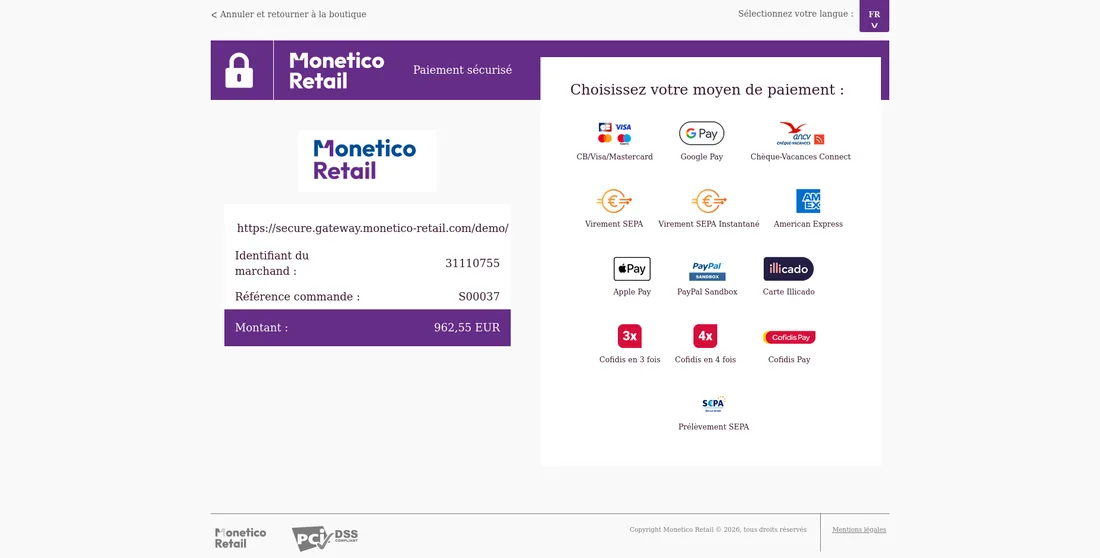
Secure Monetico Retail payment page opened from an Odoo order

The Monetico Retail payment page

The customer lands on the secure Monetico Retail page, which lists the payment means open on your shop. Shown here: the demo shop.

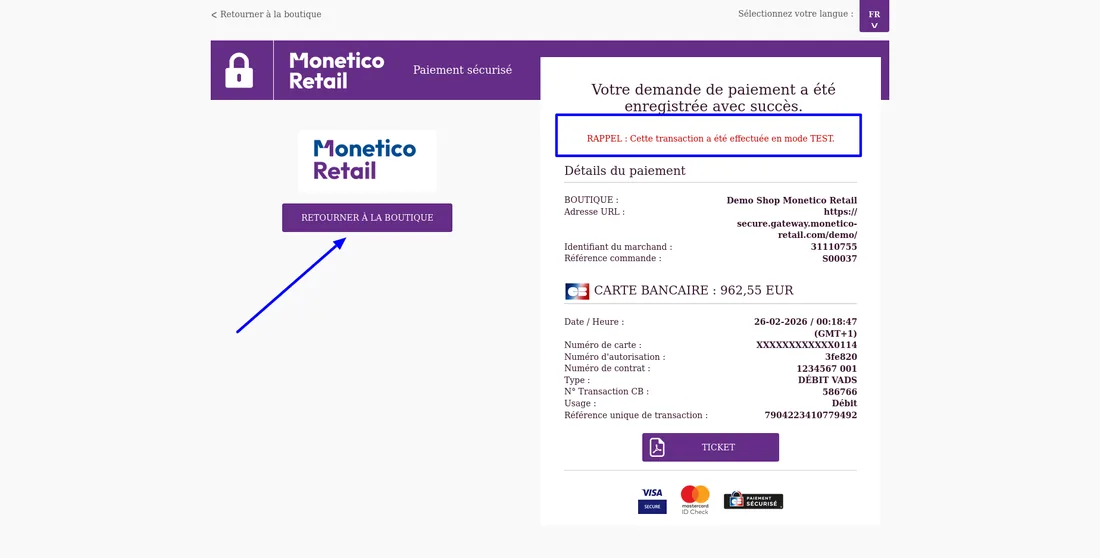
Monetico Retail card payment confirmation before returning to Odoo

The receipt, then back to Odoo

After 3-D Secure, Monetico Retail shows the details of the card payment and a button to return to your shop.

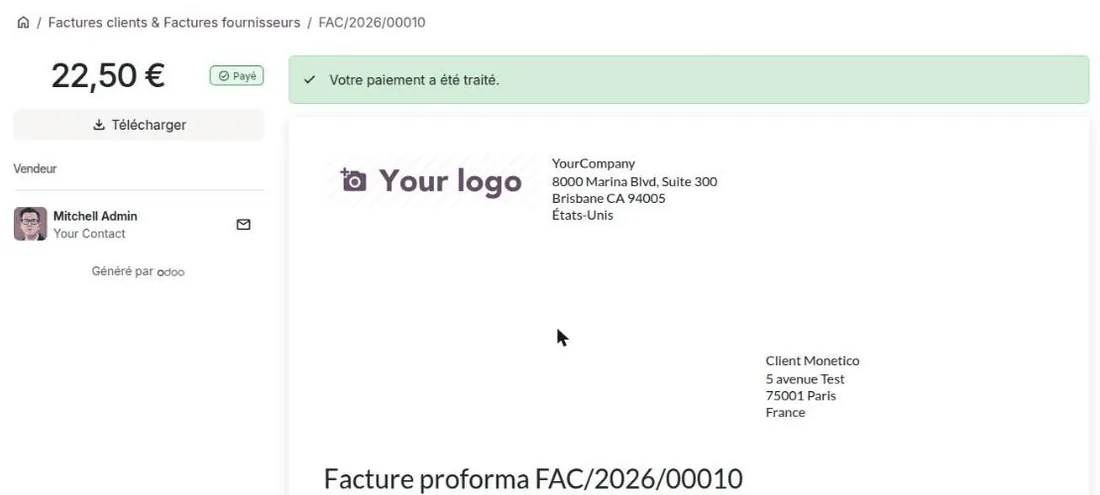
Invoice paid by card with Monetico Retail in the Odoo customer portal

The invoice paid from the customer portal

Back in Odoo, the customer sees the invoice as paid. It is only marked paid once the signed notification from Monetico Retail arrives.

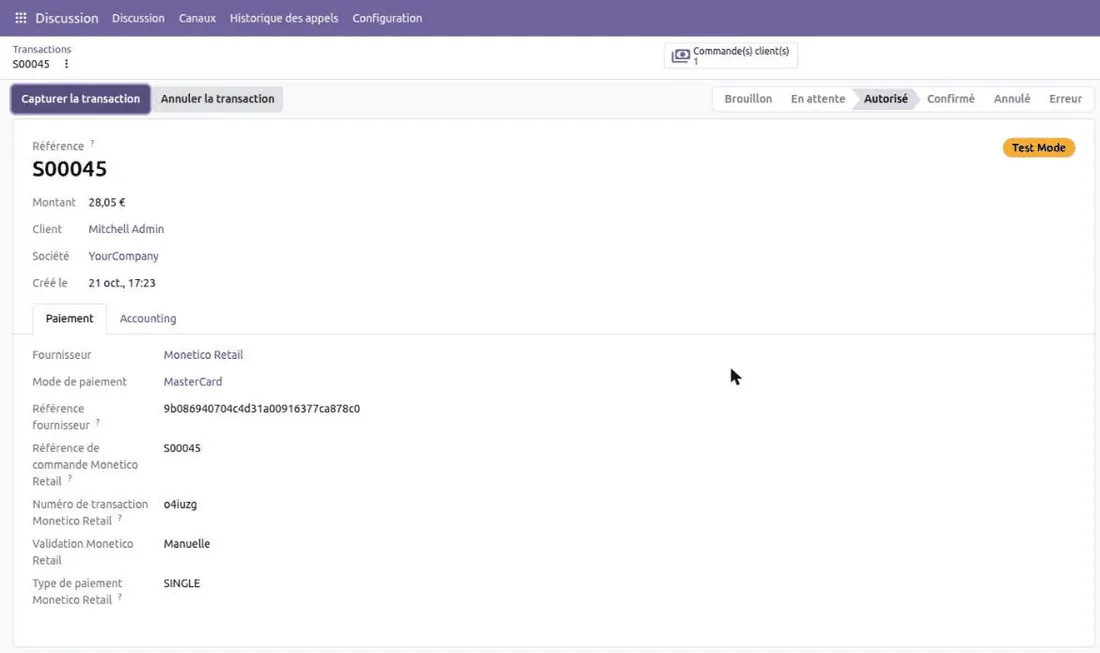
Authorized Monetico Retail transaction with Capture and Void buttons in Odoo

Capture or cancel later

With manual capture, the payment stays authorized. Your team captures or cancels it from the Odoo transaction.

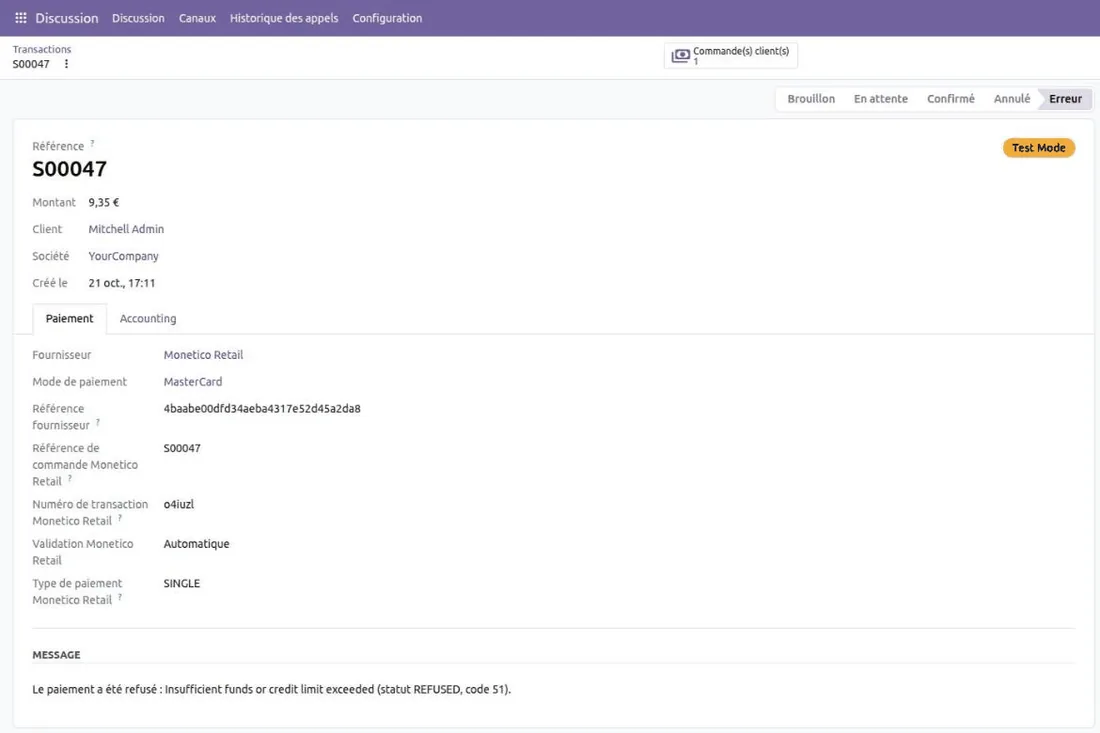
Refused Monetico Retail payment with the bank reason in the Odoo transaction

The refusal reason, in plain words

A refused payment shows the reason given by the bank, here insufficient funds, picked up by the automatic synchronization.

Before you choose

Monetico Retail or Monetico Online: which one is on your contract?

Crédit Mutuel and CIC offer two Monetico solutions, on two different platforms. The credentials differ and the modules are not interchangeable.

Monetico Retail (this module)Monetico Online
Your merchant areaThe Monetico Retail Back OfficeThe Monetico dashboard, with a TPE
The credentials you receiveAn 8-digit shop ID, a test key and a production keyA TPE number, a company code and a security key
Saved cardsIncluded in this moduleWith the add-on Monetico Recurring Payments module

Are your credentials a TPE and a company code? Then you need our Monetico Payment Provider module.

Getting started

What to get from the Monetico Retail Back Office

Everything is in your Back Office, in the keys tab of the shop. If in doubt, your Crédit Mutuel or CIC adviser can help.

  • The shop ID and its two keys: the test key for your trials, the production key to collect real payments.
  • The operations password: it lets Odoo capture, cancel and refund. The Test Connection button checks it.
  • The notification address: Odoo shows it in the Configuration tab, to copy into the Back Office.
  • The payment means of your contract: card, CB, Visa and Mastercard are on by default in Odoo. American Express, Maestro and the others are turned on one by one, if they are open on your shop.

An order is only confirmed by the signed notification from Monetico Retail, never by the customer simply returning to the shop. If the notification address is copied wrong, payments stay pending until the automatic synchronization: check it before going live.

With the module

An Odoo agency behind the module

Buying the module is the first step. We can take care of the rest with you.

Installation and setup

We install the module on your database, enter your credentials and test the whole flow before going live.

Support by its developers

Questions and fixes are handled by the team that wrote the module, not by a ticket relay.

Odoo support

Tailored adaptations

Specific rules for your business go in a separate module, so updates stay simple.

Odoo development
Setup

Put the module into service in four steps

  1. Buy it on the Odoo Store

    The licence is sold by Odoo; the module is then available for your database.

  2. Install it

    On Odoo.sh or on your own server, like any Odoo module.

  3. Configure it

    Enter the credentials of your provider and choose the options you need.

  4. Test, then go live

    Validate the whole flow in test mode, then switch to production.

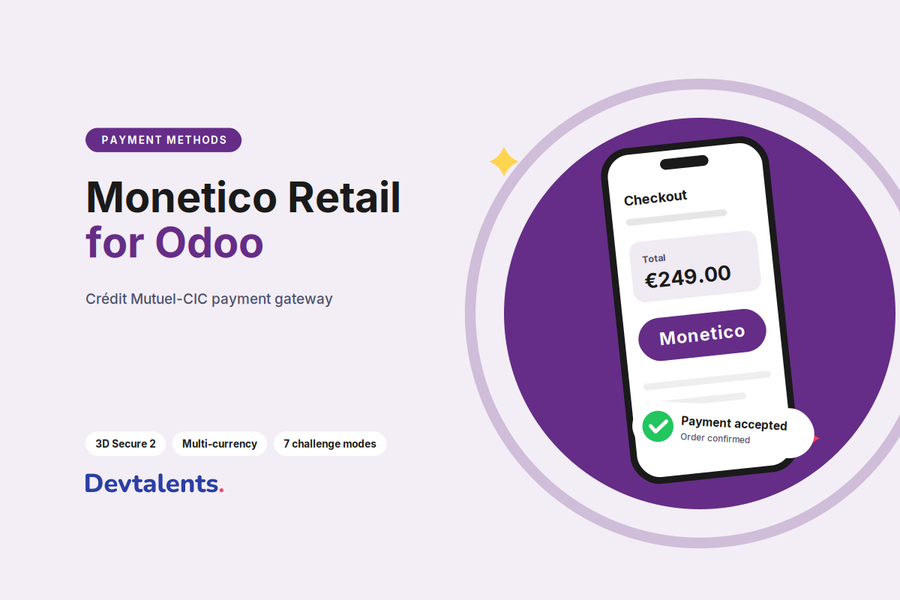
Monetico Retail for Odoo: The French Banking Payment Gateway with 3D Secure 2, Multi-Currency & 7 Challenge Modes

Monetico, the payment platform by Crédit Mutuel-CIC trusted by 400,000+ merchants, now integrates natively into Odoo. Our module connects the Monetico API v3.0 with HMAC-SHA1 authentication, 3D Secure 2 with 7 challenge modes, multi-currency support, and a seamless Hosted Payment Page flow.

Read the article
Questions about Monetico Retail Payment Provider

How do I know if I have Monetico Retail or Monetico Online?

Look at your credentials. Monetico Retail gives an 8-digit shop ID with test and production keys. Monetico Online gives a TPE number and a company code.

Does a customer with a saved card have to type everything again?

No. On the next purchase, the customer picks the saved card and only confirms the security code on the Monetico Retail page, with 3-D Secure if the bank asks for it.

Which currencies does the module accept?

The 11 currencies of Monetico Retail: euro, US dollar, pound sterling, Swiss franc, Canadian and Australian dollars, yen, Danish, Norwegian and Swedish kroner, and zloty.

Can only part of an authorized payment be captured?

Capture is done in full. Before the capture, a partial refund lowers the authorized amount, and a full refund cancels the payment.

Does the module work on Odoo Online?

No: Odoo Online does not accept third-party modules. It installs on Odoo.sh or on your own Odoo server.

Can you install and configure it for us?

Yes. We install the module, configure it with your credentials, test it in test mode and switch to production with you.

Ask for an installation

Who supports the module?

The DevTalents team that developed it: fixes, compatibility with new Odoo versions and configuration questions.

Can the module be adapted to our needs?

Yes. We add the rules specific to your business in a separate module, so that updates stay simple.

Odoo development

Same category

Similar Odoo modules

Alma Payment Provider - Odoo module

Payment Providers

Alma Payment Provider

Alma official partner: let your customers pay in 1x–12x installments. Eligibility widget, category exclusion and Alma-approved integration.

Alma POS - Odoo module

Payment Providers

Alma POS

Alma in the Odoo Point of Sale: your customers pay in store now or in 2 to 12 instalments, on their phone. QR code on the cashier and customer display, SMS link or payment on the store's screen, order validated as soon as the customer has paid, refunds from the POS.

All our Odoo modules

A module to adapt or to create?

Tell us what you need: we reply within 48 hours.

Discuss your project
Billy, the DevTalents mascot, answering a message on his phone