
BGL BNP Paribas bets on Odoo. One link is still missing: getting your Axepta payments into Odoo
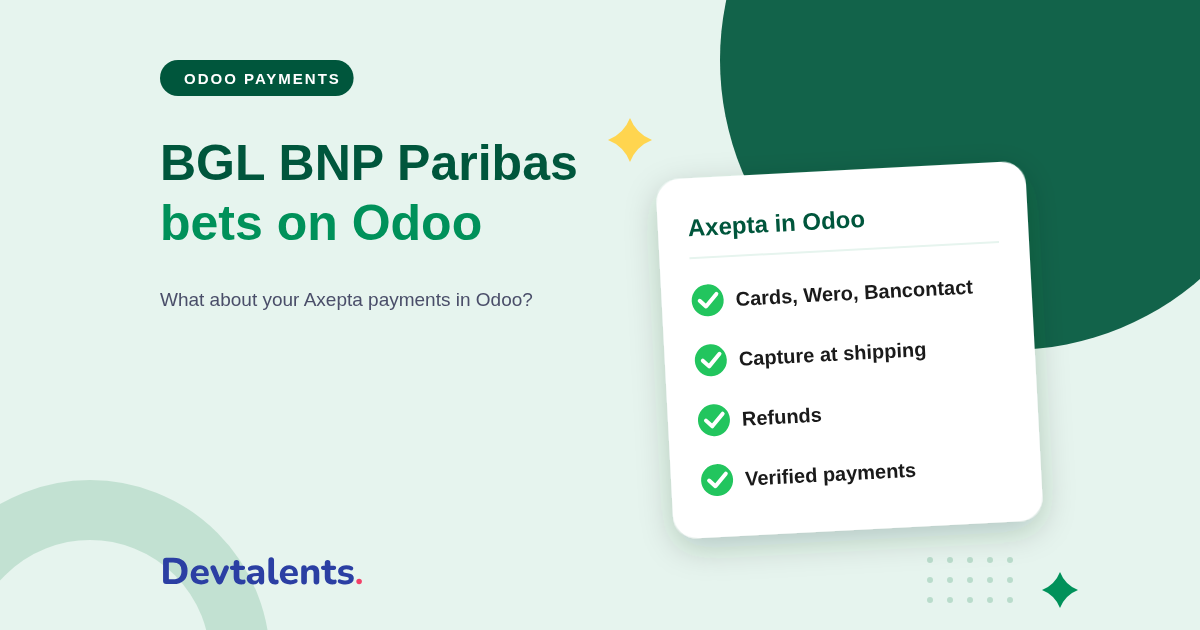
On 16 November 2026, BGL BNP Paribas and Odoo announced a partnership in Luxembourg: the bank recommends Odoo to its business clients, and Odoo points its users to the bank. To collect payments, BGL BNP Paribas puts forward Axepta BNP Paribas. We are taking this opportunity to tell you about our Axepta BNP Paribas V2 module, already published on Odoo Apps: it connects your Axepta contract to Odoo, so that your customers pay by card, Wero or Bancontact on the Axepta secure page and every payment is recorded in Odoo, against the right order or invoice.
This article covers two things: what the partnership actually contains, according to the press release and the bank's own page, and what it takes for your customers' payments, collected by Axepta, to land in Odoo without retyping. We are not a party to this agreement: we publish the module that connects Axepta to Odoo, and that is why the topic matters to us.
In this article
- What the BGL BNP Paribas and Odoo partnership provides
- The missing link: Axepta payments in Odoo
- The Axepta payment methods available in Odoo
- Capture, cancel, refund: all from Odoo
- A payment checked with Axepta, never taken on trust
- Three things to check before you start
- Setting up Axepta in Odoo
- BGL BNP Paribas, Axepta and Odoo: frequently asked questions
What the BGL BNP Paribas and Odoo partnership provides
The announcement, reported by Paperjam (in French), describes an exclusive partnership in Luxembourg between the bank and the software publisher. The idea is simple: Odoo brings the management software (accounting, sales, human resources, customer relationship), BGL BNP Paribas brings the bank and the expertise of the group. Nicolas Otton, Chairman of the Executive Committee of BGL BNP Paribas, describes it as a complete ecosystem that lets companies run their business with peace of mind.
The dedicated page on the BGL BNP Paribas website gives the practical details, which work both ways:
You bank with BGL BNP Paribas
Your adviser introduces you to a contact at Odoo. The qualification call, during which Odoo reviews your processes, is free. A tailored offer, training for your teams and regular follow-up come next.
You already use Odoo
Three months of Pack Pro fees are waived for any new subscription between 16 November 2026 and 1 November 2027, subject to conditions (active Odoo subscription, application accepted by the bank). Your application is handled as a priority, with a call back from an adviser within two working days.
Two items on that page matter directly to anyone who collects customer payments with Odoo:
- Bank synchronisation: the transactions of your BGL BNP Paribas accounts flow into Odoo automatically, which makes reconciliation with invoices and payments easier. The bank states that availability depends on the type of account.
- Collecting payments: the bank says its business packs let you collect customer payments, notably through its partnership with Axepta BNP Paribas.
The press release gives neither the schedule of the joint initiatives nor the commercial terms. For the exact conditions of the offer, the bank's page is the reference.
The missing link: Axepta payments in Odoo
On paper, the circuit is complete: Odoo issues the invoice, Axepta collects the payment, the bank receives the funds, and the statement comes back into Odoo. In practice, one step is missing. Odoo ships connectors for several payment providers as standard, but Axepta is not one of them.
Without a connector, your customer pays on one side and Odoo knows nothing about it. Someone has to open the Axepta merchant portal, find the transaction, then mark the order or the invoice as paid by hand. With ten payments a month, that is bearable. With an online shop or invoices paid by link, it becomes a source of errors and late deliveries.
Our Axepta BNP Paribas V2 module for Odoo closes that loop. The customer picks Axepta at checkout, pays on the Axepta secure payment page, and the payment is recorded in Odoo against the right order or invoice, with its accounting entry. When the bank statement arrives through the synchronisation, all that is left is to reconcile.
| Step | Who handles it |
|---|---|
| Quotation, order, invoice | Odoo |
| Online payment by the customer | Axepta BNP Paribas, on its hosted payment page |
| Payment recorded in Odoo | The Axepta BNP Paribas V2 module by DevTalents |
| Funds and bank statement | Your bank, then the Odoo bank synchronisation |
The Axepta payment methods available in Odoo
The module is built on version 2 of the Axepta API, the one BNP Paribas offers its merchants today. It adds nine payment entries to Odoo, which you enable one by one:
Cards, Apple Pay, Google Pay and PayPal
Card payments with 3-D Secure 2 (Visa, Mastercard, CB, American Express and, depending on your contract, Diners, Discover, JCB, UnionPay), Apple Pay, Google Pay and PayPal. You choose which card brands the customer sees.
Wero and Instanea: account-to-account payments
Wero, the European instant payment wallet, which BGL BNP Paribas also lists among its services. Instanea, the instant transfer initiated from the customer's bank: funds arrive within seconds, with no chargeback possible.
Bancontact and Floa Pay
Bancontact, expected by Belgian buyers, and Floa Pay to pay in 3 or 4 instalments. Two useful methods when you sell across the border, which is everyday business for many Luxembourg companies.
"Pay with Axepta"
A single entry that lets Axepta display every method enabled on your contract. Handy for a quick start: you show one button, and the list follows your contract.
Each payment method has to be enabled on your Axepta contract: the module shows what your contract allows, it does not replace it. The customer always pays on the page hosted by Axepta, with your branding if you wish (logo, text shown on the customer's bank statement), in French, English or Dutch. The card number never goes through your Odoo database.
Capture, cancel, refund: all from Odoo
Receiving the payment is only half the job. The rest happens after the order, and that is where the merchant portal quickly becomes a second screen you would rather do without:
- Capture at shipping: the card is authorised at checkout, and you capture from Odoo when the goods leave. The capture can be partial, for an order shipped in several parcels.
- Delayed capture: you set a delay in hours, up to 29 days, after which Axepta captures automatically. Useful to leave time for a stock check or an approval.
- Cancel an authorisation if the order does not ship: the customer is never charged.
- Refund in full or in part from the payment in Odoo. The refund stays linked to the original payment, which simplifies reconciliation.
- Set the 3-D Secure authentication request: no preference, authentication requested or mandated. The customer's bank has the final say.
The module relies on the standard Odoo payment framework. It therefore serves the online shop, but also payment links sent from a quotation or an invoice and invoices paid in the customer portal. For a service company with no shop, that is often the first use.
A payment checked with Axepta, never taken on trust
A payment module is judged on the cases that go wrong: the customer who closes the browser too early, the notification that arrives twice, the return page called by someone who paid nothing. Here is how the module handles them:
- the status of a payment is never read from the customer's browser: Odoo asks Axepta every time, then compares the amount and the currency with those of the order;
- if the customer does not come back to your site, Axepta notifies Odoo on its side with a server notification, whose signature is checked;
- as a last safety net, Odoo checks the payments still pending every thirty minutes, so that no paid order stays stuck;
- a button tests the connection to Axepta from the payment provider form, before you open payment to your customers;
- the keys of your contract are visible to administrators only and never appear in the logs.
Three things to check before you start
Better said before than after:
- Your acquiring contract. The module connects to the Axepta BNP Paribas online payment platform, version 2. Ask your adviser to confirm that your contract gives access to it, with the payment methods you need. If you still use the previous version of Axepta, our article on Axepta V2 describes the switch.
- Your Odoo hosting. This is a third-party module: it installs on Odoo.sh or on your own server, not on Odoo Online, which only accepts standard applications. If you are starting with Odoo through the partnership, raise the question in the very first conversation.
- Your Odoo version. The module is available for Odoo 18, 19 and 20, Community and Enterprise.
Your bank is not BNP Paribas, or you are weighing several solutions? Our comparison Monetico, CAWL or Axepta reviews what each bank payment solution allows in Odoo.
Setting up Axepta in Odoo
Once the contract is open, setup takes a few steps:
- install the module from the Apps menu;
- in the Axepta merchant portal, under key management, note your merchant ID, your API key and your HMAC key;
- in Odoo, open the Axepta payment provider, enter these three values and run the connection test;
- run your trials in test mode, where payments can be simulated, then switch to production;
- enable the payment methods of your contract and choose how you capture: immediately, after a delay or at shipping.
BGL BNP Paribas, Axepta and Odoo: frequently asked questions
Does the BGL BNP Paribas and Odoo partnership include a payment connector?
The announcement is about support: introductions, a welcome offer on business packs, synchronisation of bank accounts with Odoo. It does not mention a connector between Axepta and Odoo. That is what our module is for.
Is DevTalents part of this partnership?
No. We are an independent publisher of payment modules for Odoo. Our Axepta module existed before this announcement, and it is meant for any merchant who collects payments with Axepta BNP Paribas, in Luxembourg, France or Belgium.
Is bank synchronisation enough to track my online payments?
No, the two complement each other. Synchronisation brings in the account transactions, often one grouped payout for several sales. The module records each payment against its order or invoice at the moment the customer pays: that is what confirms the order and triggers delivery.
Can I offer Wero and Bancontact to my customers?
Yes, if these methods are enabled on your Axepta contract. In Odoo, each one appears as a payment method in its own right, which you enable or not.
Does the module work on Odoo Online?
No. It is a third-party module, which Odoo Online does not accept. It installs on Odoo.sh or on your own server.
Can you install it for us?
Yes. We install the module, connect it to your Axepta contract and set up with you the payment methods, the capture mode and the trials before going live. We also support Odoo projects in Luxembourg, France and Belgium.
You collect payments with Axepta and you are moving to Odoo?
Tell us how your customers pay today: we tell you what to install, or we do it for you. Contact us, or see the module page Axepta BNP Paribas V2.