
The Moneris payment gateway, now integrated with Odoo
Moneris processes about one in three card transactions in Canada. Our new Moneris module for Odoo connects your Moneris account to Odoo: your customers pay by card on your website, in their customer portal or from a payment link, and every payment is recorded in Odoo with its invoice and its accounting entry.
This Moneris Odoo integration is built for Canadian businesses that take card payments in Canadian dollars with a Moneris merchant account. This article explains what the module does, the Odoo payment flows we tested with Moneris, and how to get started.
In this article
Why connect Moneris to Odoo
Moneris is Canada's largest card payment processor. Many merchants already have their account there, in store and online. When they move to Odoo, they want to keep Moneris without typing every payment twice.
Without a module, you take the payment in Moneris and then record it in Odoo, invoice by invoice. With the module, everything starts from Odoo: the payment, the capture, the refund and the match with the invoice.
The module runs on Moneris' newest payment platform. It lets you capture an order in several steps, safely repeat a request without any risk of a double charge, and manage saved cards straight from Odoo.
Moneris card payments in Odoo
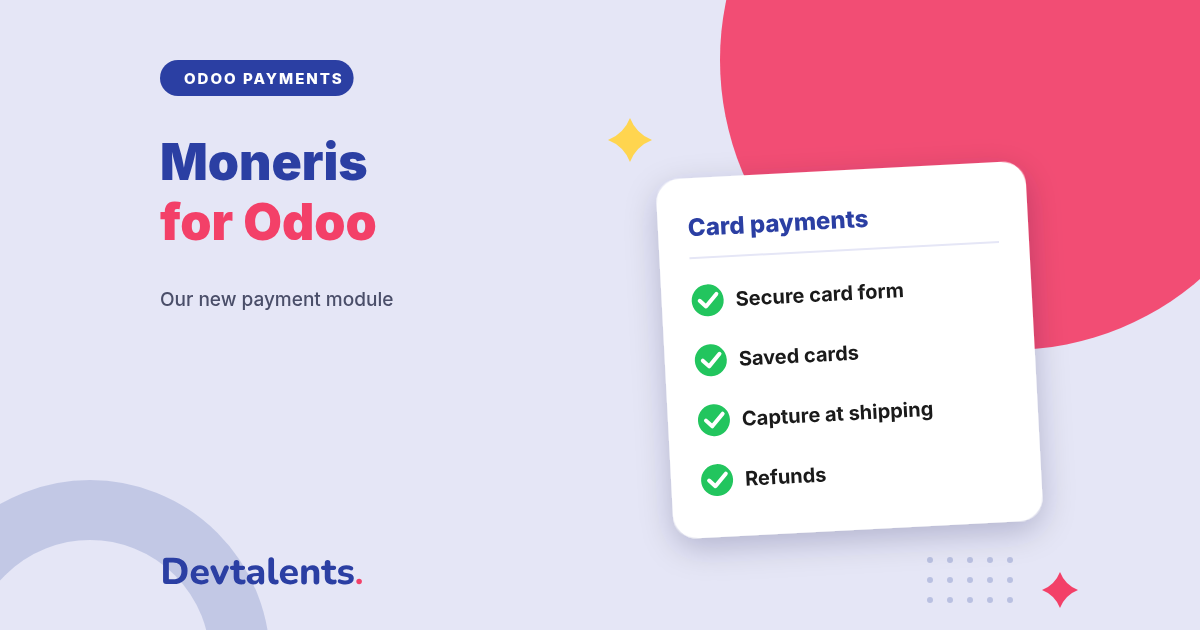
A card form hosted by Moneris
The customer chooses Card and types the card number in a secure form provided by Moneris, shown right on your payment page. They never leave your website, and a typing error is shown to them in English or French.
Saved cards
Customers can save their card for their next purchases. They find it in their customer portal, and if they delete it, it is also deleted at Moneris.
The card number never goes through your Odoo database: it is typed at Moneris. Your scope under PCI DSS, the standard that governs card data security, stays as small as it can be.
3-D Secure, the confirmation step run by the customer's bank, is supported when Moneris has enabled it on your account. The module accepts Visa, Mastercard, American Express, Discover, JCB and UnionPay, depending on the cards open on your Moneris agreement.
Moneris captures and refunds from Odoo
- Capture at shipping: the card is only authorized when the order is placed. You collect the amount when you ship, in full or in part if some items are missing, and Moneris releases the rest. If the order is cancelled, you release the authorization in one click.
- Refund in full or in part from the payment in Odoo, without opening Moneris. The refund is linked to the original payment, which makes reconciliation easier.
- Charge a saved card: your accountant settles an invoice with the card the customer saved, without ever typing a card number.
- Renew subscriptions: with the Odoo Subscriptions app, each renewal is charged to the saved card, with nothing to do on your side.
Moneris tells apart the payments made by the customer from the ones you trigger later, such as a subscription renewal or a payment entered by your accounting team. The module sends this information with every payment, as Visa and Mastercard require, which avoids needless declines on saved cards.
The Odoo payment flows tested with Moneris
A payment module is not only for the online shop: Odoo asks for payment in many apps, each with its own flow. We tested these end to end, with real exchanges with the Moneris test environment:
- the connection test of your Moneris credentials, from the payment provider form;
- payment links sent from an invoice, for the full amount or part of it;
- the customer portal, even without the Website app: invoices, and quotations with a down payment;
- saved cards: payment by the customer, and deletion that also removes the card at Moneris;
- subscription renewals charged to the saved card;
- payments registered by your accountant with the customer's card;
- capture at shipping, in full or in part, and cancellation of an authorization;
- full and partial refunds from the payment, including payments captured at shipping.
The module uses the standard Odoo payment page: it is offered wherever Odoo asks for a payment, including the online shop and the other apps that take payments.
A Moneris module built to never charge twice
With card payments, the worst cases are a double charge, or a payment approved by the bank but missed by Odoo. The module was written for exactly these cases:
- a double click or a second submission of the form never charges the card twice;
- if Moneris does not answer in time, the payment is not sent again: Odoo looks it up at Moneris and updates the order on its own. We checked it by cutting the Moneris answer on purpose;
- every answer is checked against the Odoo amount and currency before the payment is confirmed;
- your Moneris credentials are only visible to administrators and never written in the logs.
Installing the Moneris module in Odoo
The module is available for Odoo Community and Enterprise on the Odoo Apps Store. Its detailed page is also in our Odoo modules catalog. Getting started takes a few steps:
- install the module from the Apps menu;
- in your Moneris developer account, create the connection credentials for Odoo and note your merchant number;
- in your Moneris merchant account, create the profile of the secure card form;
- in Odoo, open the Moneris payment provider, enter this information and click Test Connection;
- run your tests in test mode, then switch to production;
- choose whether customers can save their card, whether payments are captured at shipping and whether 3-D Secure is requested.
Moneris and Odoo: frequently asked questions
Can I take payments in another currency than Canadian dollars?
Moneris settles merchants in Canadian dollars. If the Moneris multi-currency pricing option is active on your account, your customers can pay in their own currency while you are settled in Canadian dollars, and the module then accepts these currencies.
I use the Moneris plugin for WooCommerce: what changes with Odoo?
You keep the essentials: card payments on your website, saved cards, delayed capture and refunds. The difference is that everything is tied to your orders, invoices and accounting payments in Odoo, with no double entry.
Does the module work on Odoo Online?
No. It is a third-party module, which Odoo Online does not accept. It installs on Odoo.sh or on your own server.
Can you install it for us?
Yes. We install the module, connect it to your Moneris account and run a complete payment with you, from the order to the refund, before going live. We also build other payment gateways for Odoo, such as PayTrace for the United States.
Taking payments with Moneris and moving to Odoo?
Tell us which payment flows you use in Odoo: we tell you what to install, or we do it for you. Contact us, or see the Moneris Payment Gateway module page.