

Viva Wallet Smart Checkout, natively in Odoo
Viva Wallet is one of Europe's leading payment institutions, with a hosted payment page, Smart Checkout, that accepts cards, digital wallets and local payment methods in a single integration. Our Viva Wallet payment module for Odoo turns it into a native Odoo payment provider: your customers pay on Viva Wallet, and you manage the whole life of the payment from Odoo, from the confirmation of the order to refunds, captures, saved cards and subscription renewals.
This article walks you through what the module does, how it is configured and how each payment flow looks in Odoo, with screenshots taken from real payments on the Viva Wallet demo environment.
In this article
- Why Viva Wallet Smart Checkout with Odoo
- Set up Viva Wallet in Odoo in a few minutes
- Real-time payment status with secure webhooks
- The checkout experience
- Refused payments, retries and double payments
- Refunds from Odoo and from the Viva Wallet dashboard
- Manual capture: authorize now, charge at shipping
- Saved cards and one-click payments
- Odoo Subscriptions paid automatically
- No paid order left behind
- FAQ
Why Viva Wallet Smart Checkout with Odoo
With Smart Checkout, your customer is redirected to a secure, PCI DSS compliant payment page hosted by Viva Wallet, then sent back to your Odoo shop. Card data never touches your servers, 3-D Secure is handled by Viva Wallet, and you offer many payment methods without integrating each of them:
- Cards: Visa, Mastercard, Maestro, American Express, Diners Club, Discover, JCB, UnionPay.
- Digital wallets: Apple Pay, Google Pay, Samsung Pay, PayPal.
- Local methods: iDEAL, Bancontact, EPS, Przelewy24, BLIK, MB WAY, Multibanco, Trustly, Swish, MobilePay, WeChat Pay and more, depending on your account.
What makes the difference in daily work is the Odoo side. A payment module is not only a "Pay" button: it must confirm the right order every time, explain refusals, handle refunds and captures, and never leave a paid order as a quotation. That is what we focused on.
Set up Viva Wallet in Odoo in a few minutes
The module needs four credentials from your Viva Wallet dashboard, in Settings > API Access: the Merchant ID and API Key, and the Client ID and Client secret of the Smart Checkout credentials. On the same page, tick Allow refunds and Allow recurring payments and pre-auth captures via API.
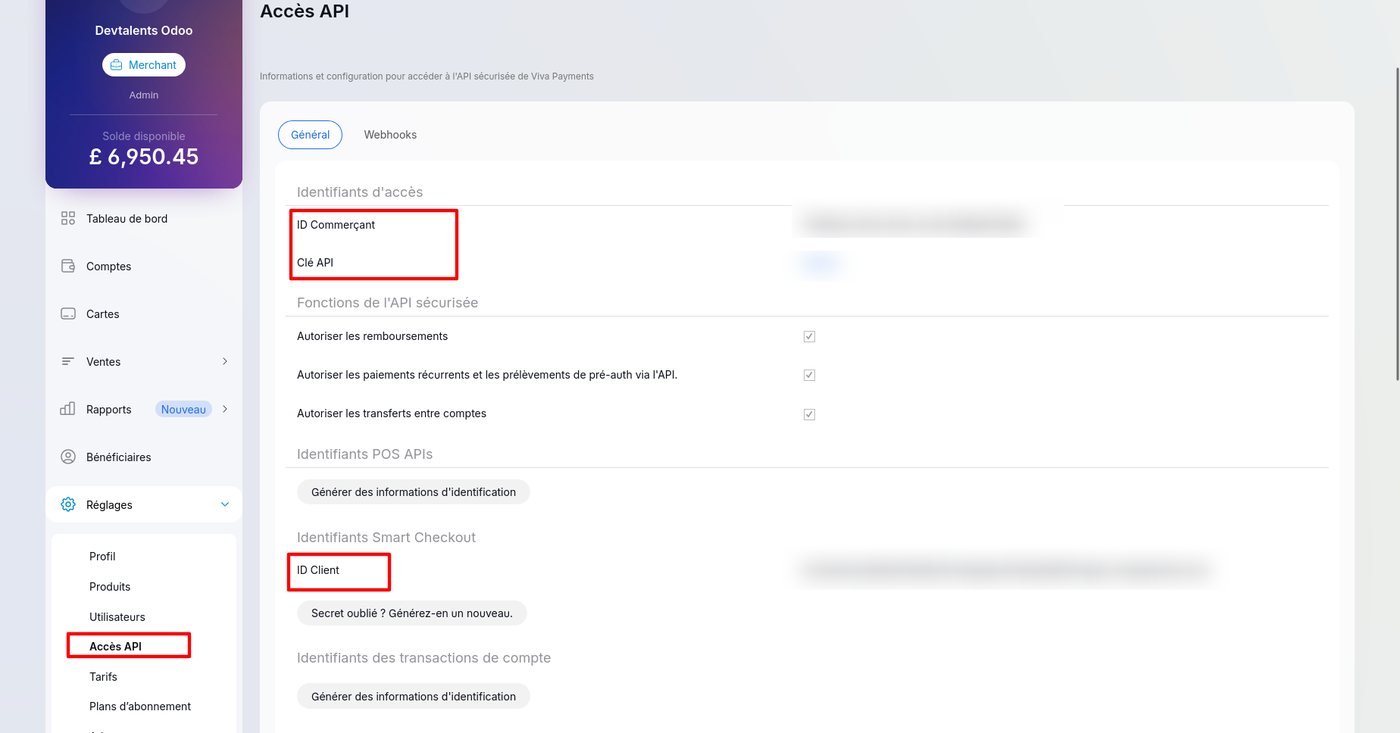
In Odoo, open the Viva Wallet payment provider, enter the credentials and use the two buttons the module adds:
- Create a payment source for this website: Odoo creates the Viva Wallet payment source with your domain and the right return URLs, and fills in the source code. No URL to type by hand, so no typo that would stop customers from coming back to your shop.
- Generate Webhook URL: Odoo fetches your account's verification key and builds the authenticated webhook URL, ready to paste in Viva Wallet.
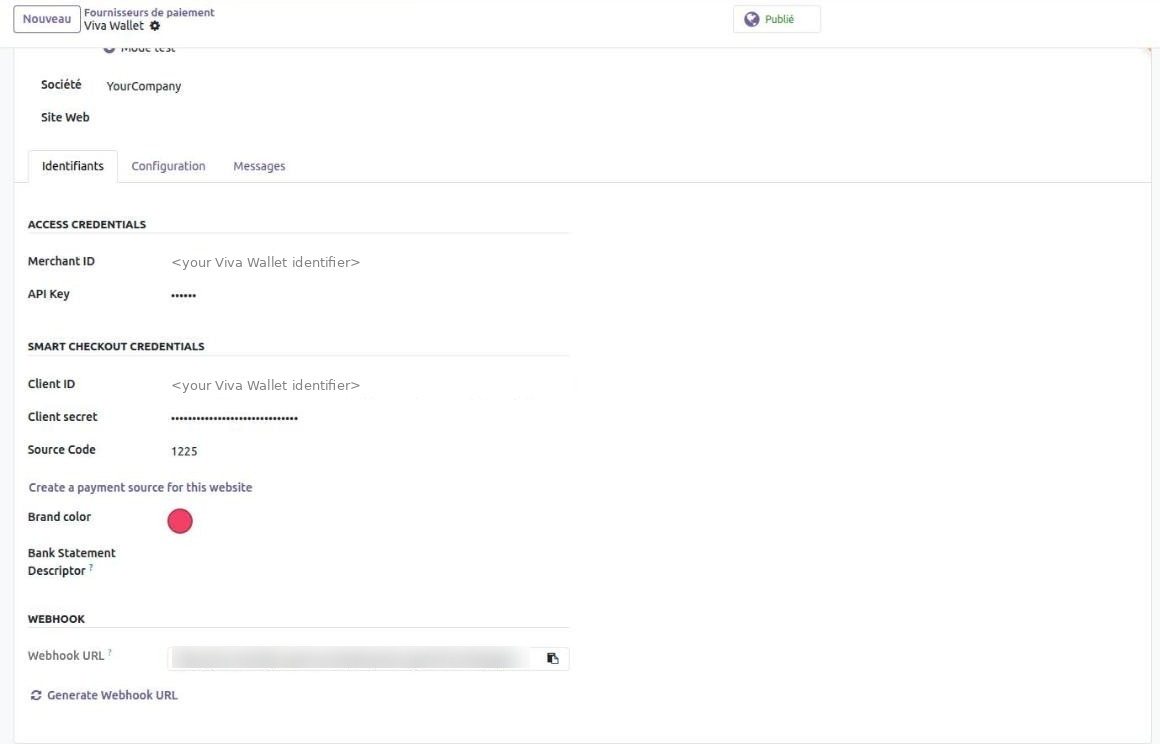
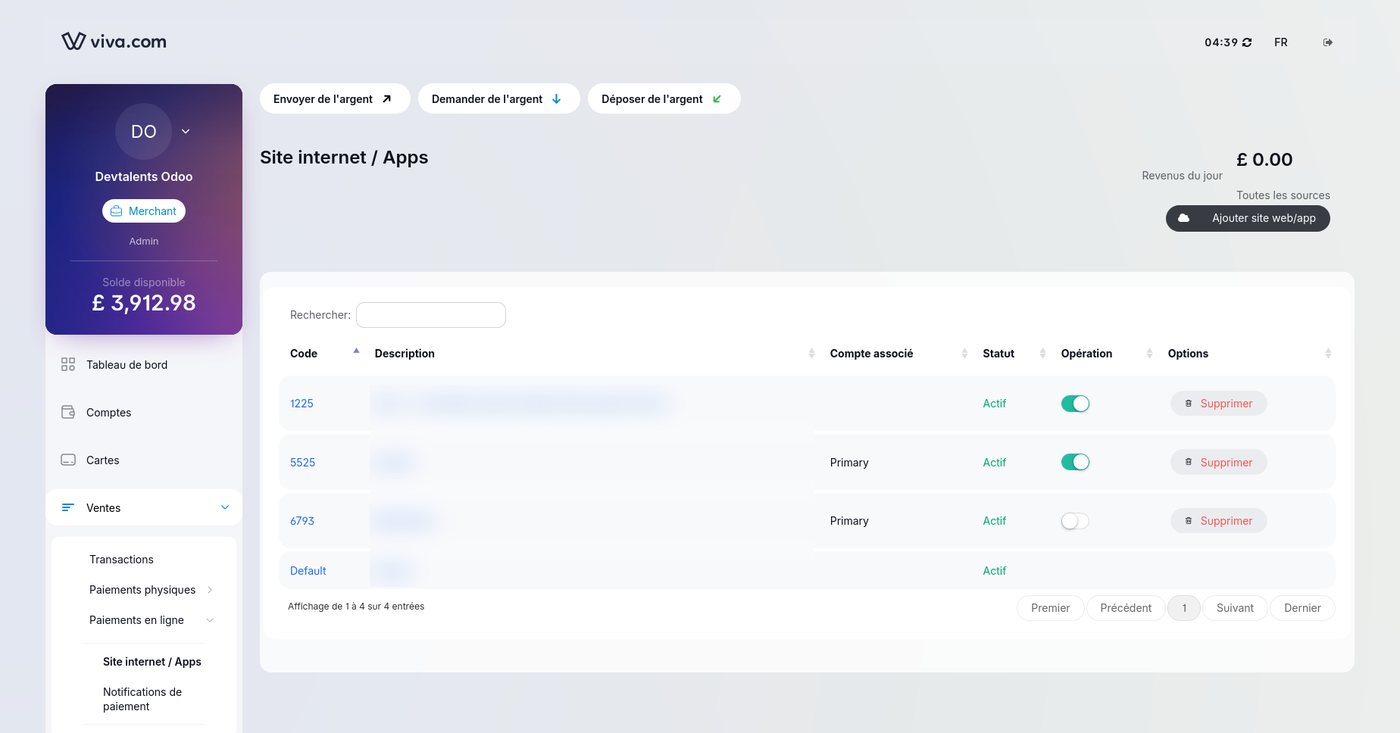
Then switch the provider to test mode on the Viva Wallet demo environment, or to enabled in production, and publish it.
Both buttons refuse a local address such as localhost: Viva Wallet could not reach it.
Real-time payment status with secure webhooks
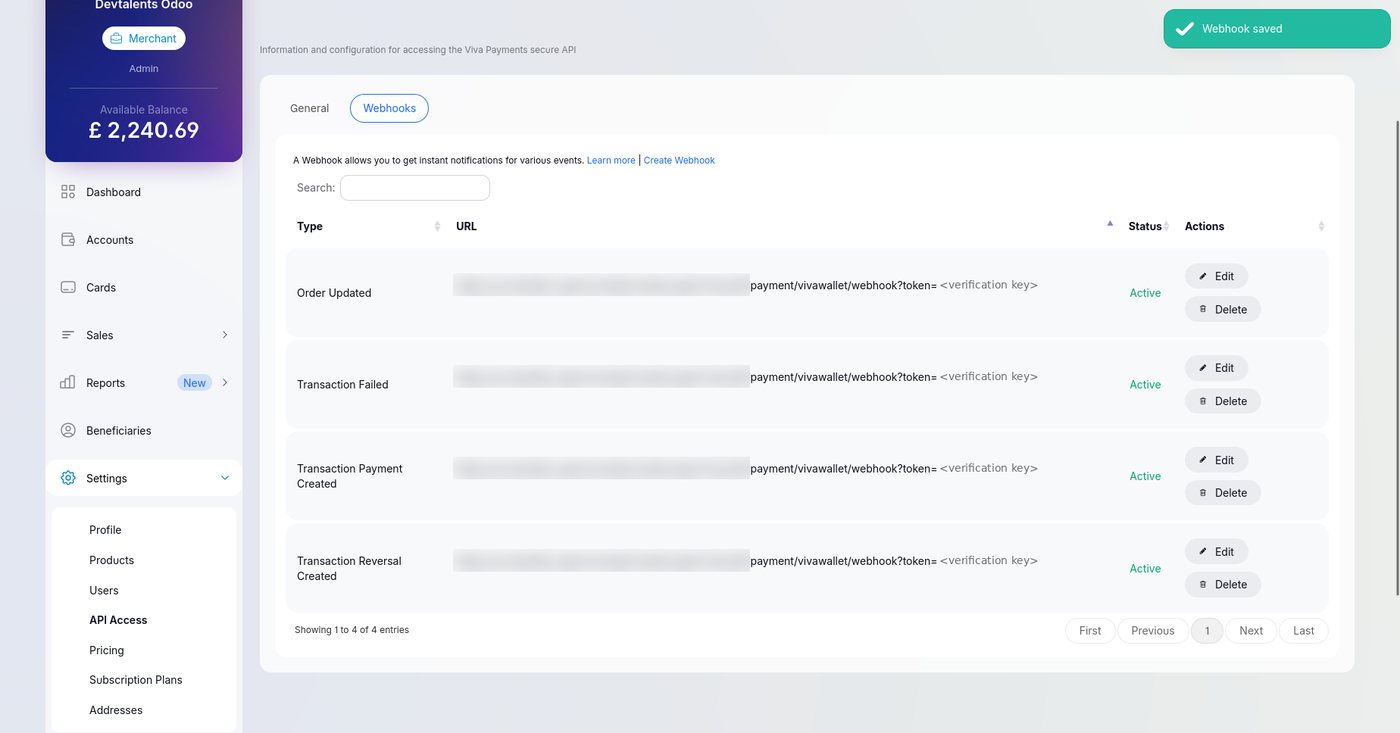
Customers do not always come back to your site after paying: they close the tab, lose their connection or pay on their phone. Webhooks let Viva Wallet notify Odoo directly. Create one webhook per event with the generated URL:
| Viva Wallet event | What Odoo does |
|---|---|
| Transaction Payment Created | Confirms the payment and the sale order, records the card brand. |
| Transaction Failed | Records the refusal with the reason given by the bank. |
| Transaction Reversal Created | Links a refund to its payment, including refunds made in the Viva Wallet dashboard. |
| Order Updated | Cancels the Odoo transaction when the order is cancelled on Viva Wallet's side. |
Security by design.
The webhook URL carries your account's verification key, checked in constant time, and the notification body is never trusted for the payment status: Odoo always reads the transaction back from the authenticated Viva Wallet API, and checks the amount and the currency, before confirming an order. A forged notification cannot mark an order as paid.
The checkout experience
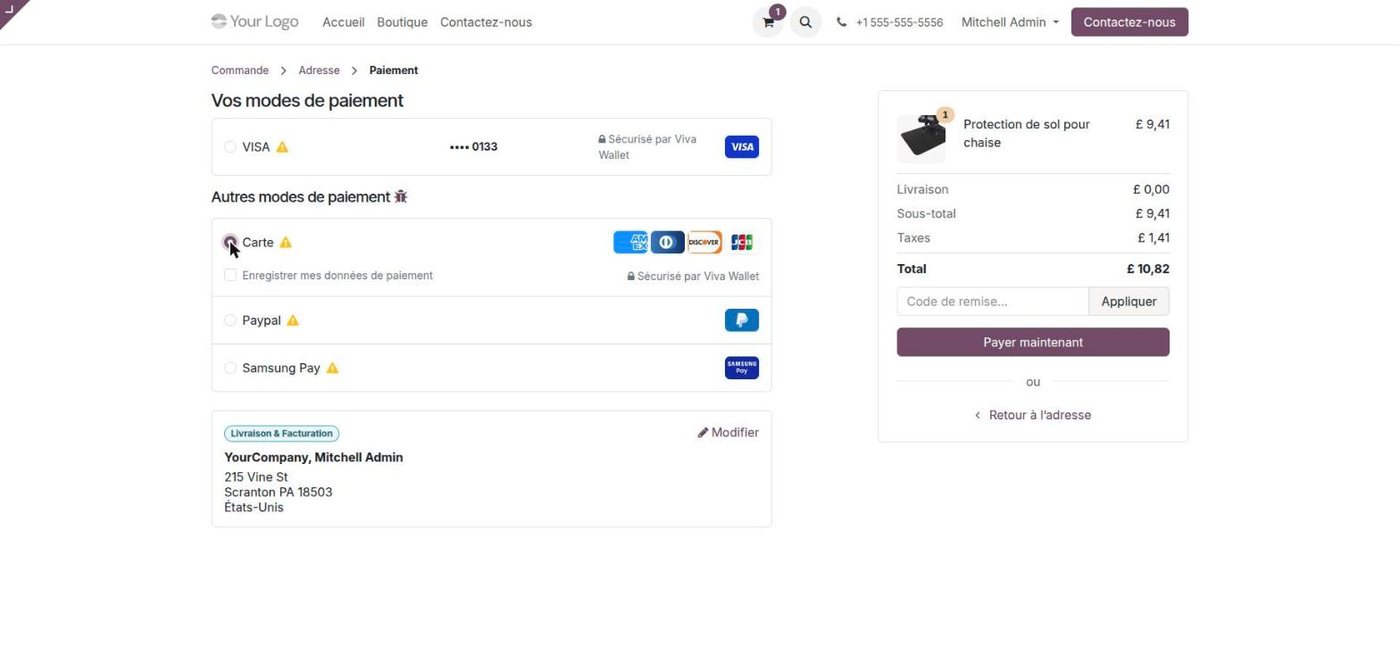
At checkout, your customer sees Card with the brands of your account, plus the local methods you activate. The method chosen in Odoo is preselected on Smart Checkout, which opens in the customer's language and with your brand color. Back in Odoo, the order is confirmed and the actual card brand is recorded on the payment.
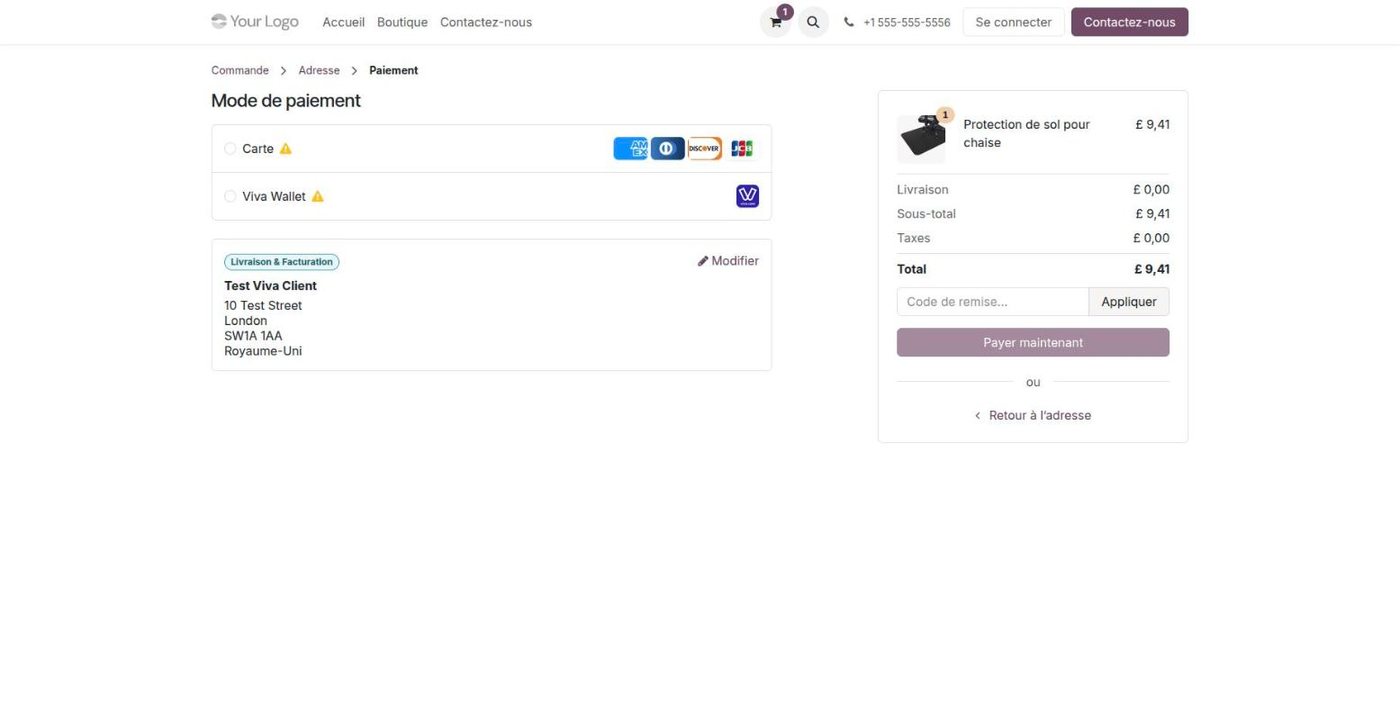
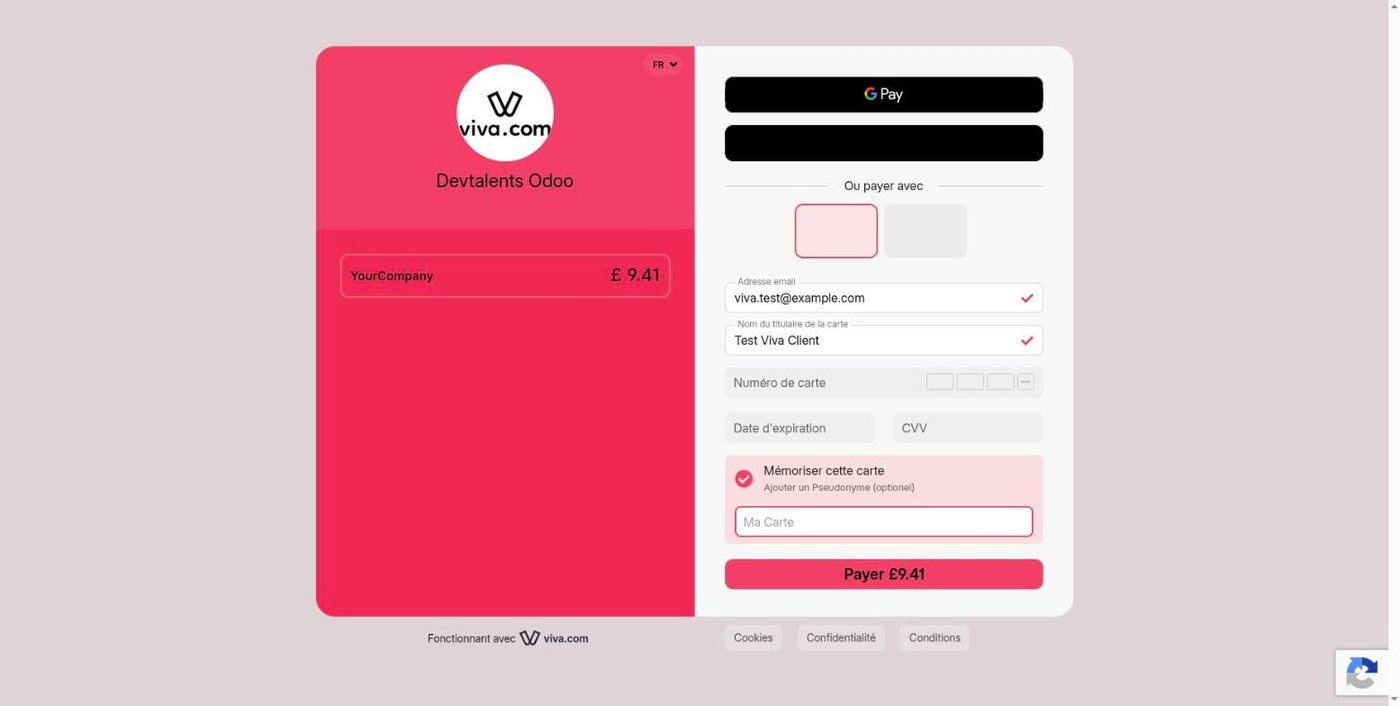
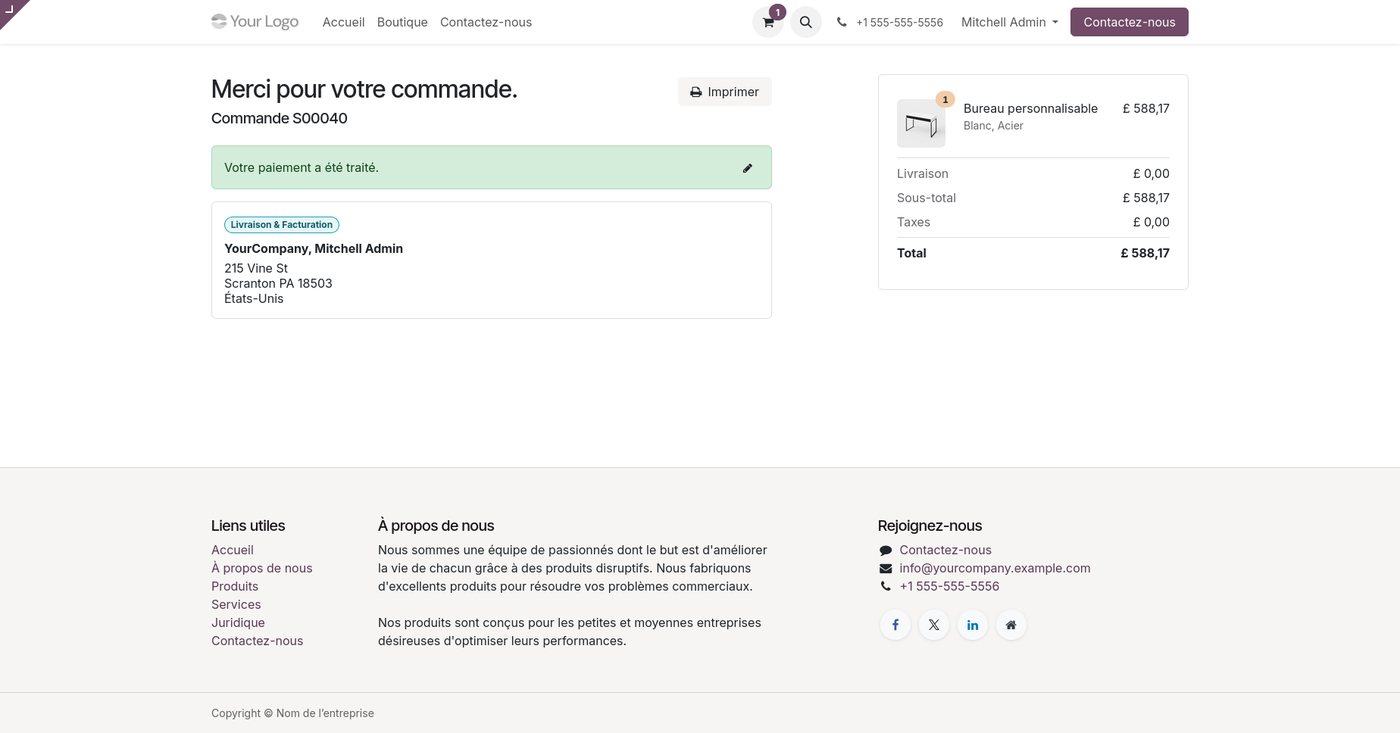
Each order sends Viva Wallet clean customer data: the country of the billing address and a phone number in international format, which helps the issuer's risk checks and reduces unjustified refusals.
Refused payments, retries and double payments
A readable reason
Insufficient funds, expired card, 3-D Secure not completed: Odoo records why a payment was refused, on the transaction and on the order, instead of a technical code.
Retry that counts
When the customer tries again after a refusal and pays, the order is confirmed. It never stays a quotation while Viva Wallet has the money.
No double payment
If the customer clicks "Pay" again in another tab, Odoo cancels the earlier unpaid Viva Wallet orders, so the same order cannot be paid twice.
Refunds from Odoo and from the Viva Wallet dashboard
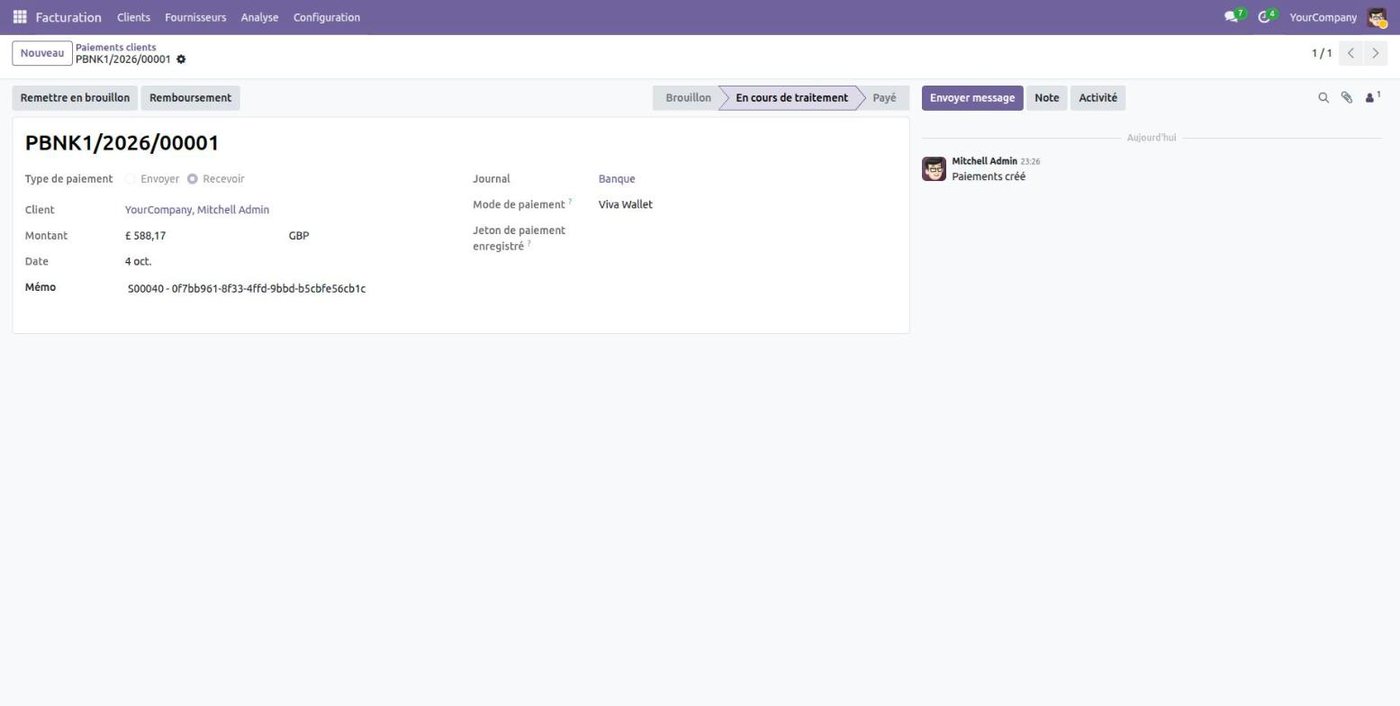
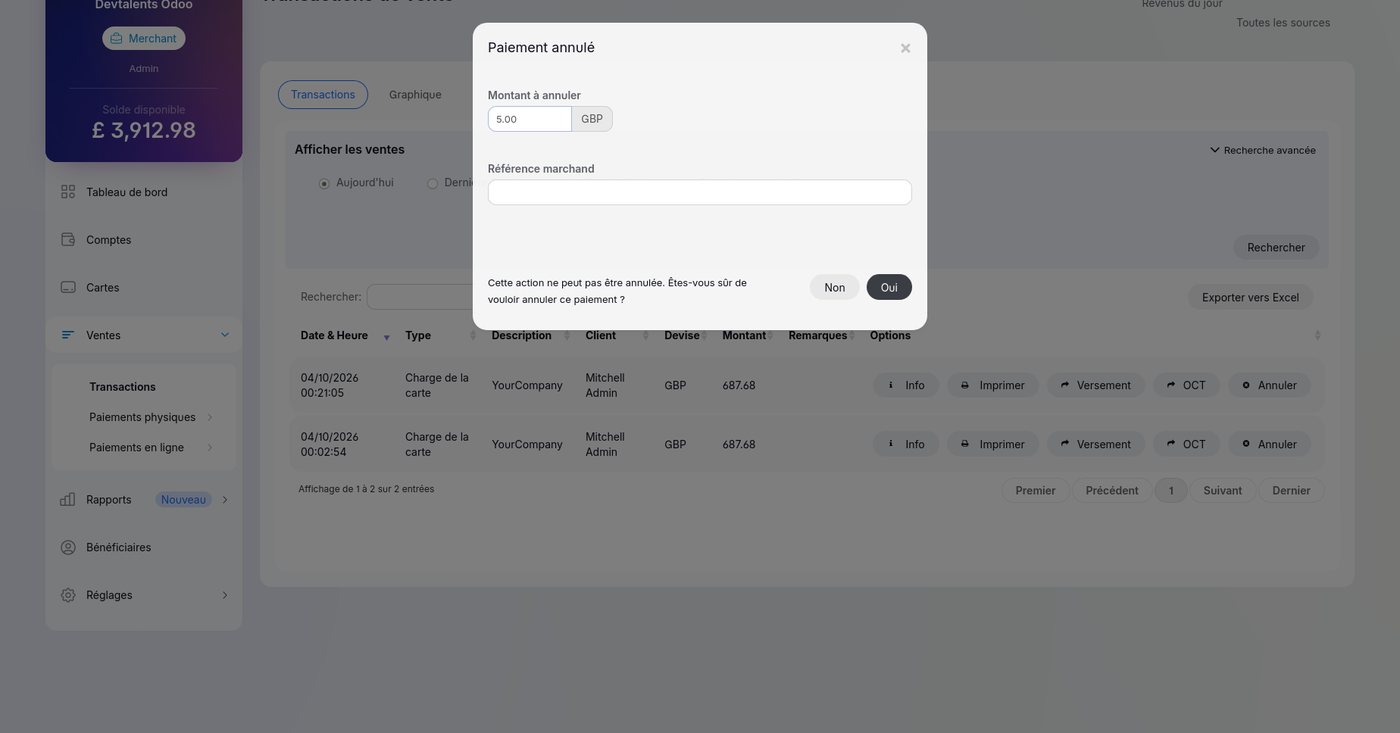
Issue full or partial refunds directly from the Odoo payment or from a credit note: no need to open the Viva Wallet dashboard. And when a refund is made in the dashboard, it comes back to Odoo automatically as a refund linked to its payment, so your accounting stays in sync.
Manual capture: authorize now, charge at shipping
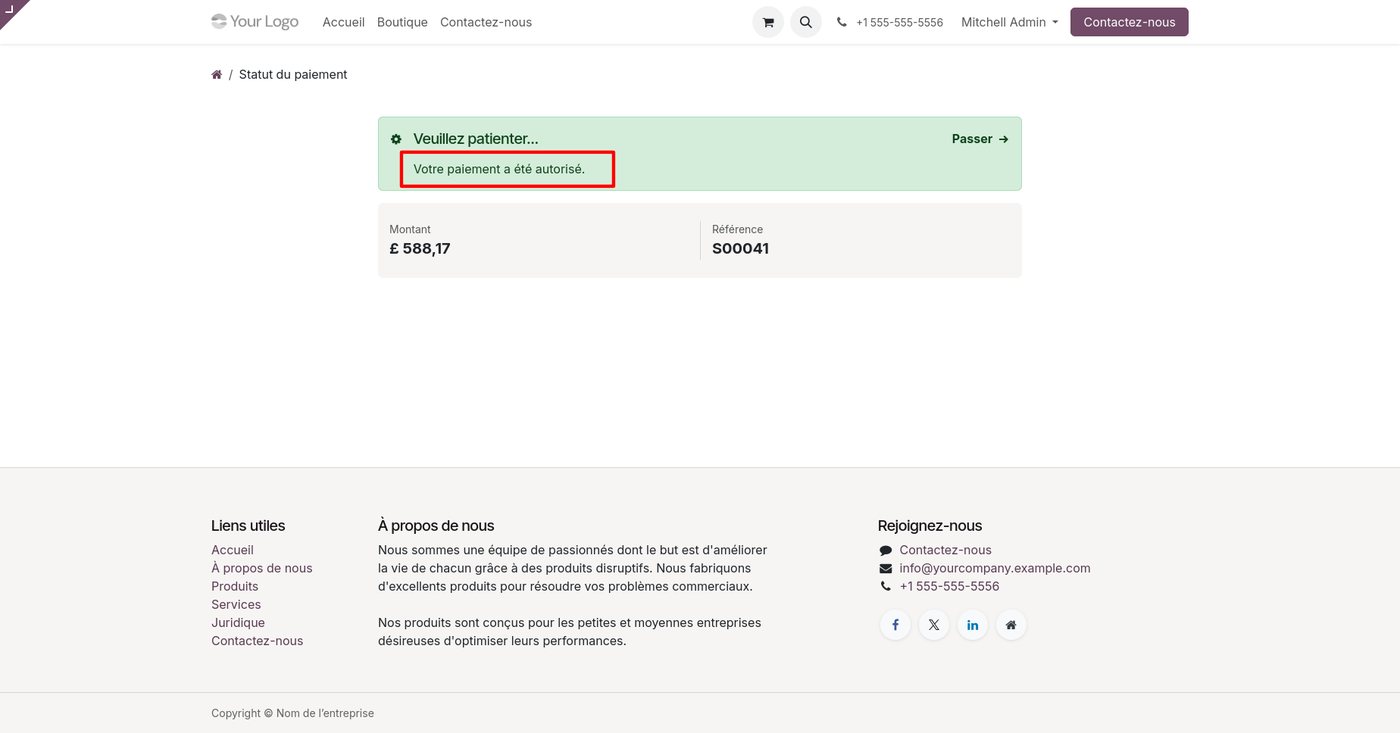
Enable manual capture on the provider and the order becomes a pre-authorization: the amount is held on the card, and you capture it from Odoo when you ship, fully or partially. If the order is cancelled, void the authorization from Odoo and the hold is released. A pre-authorization is never confirmed as paid by mistake, and the automatic checks never capture behind your back.
Saved cards and one-click payments
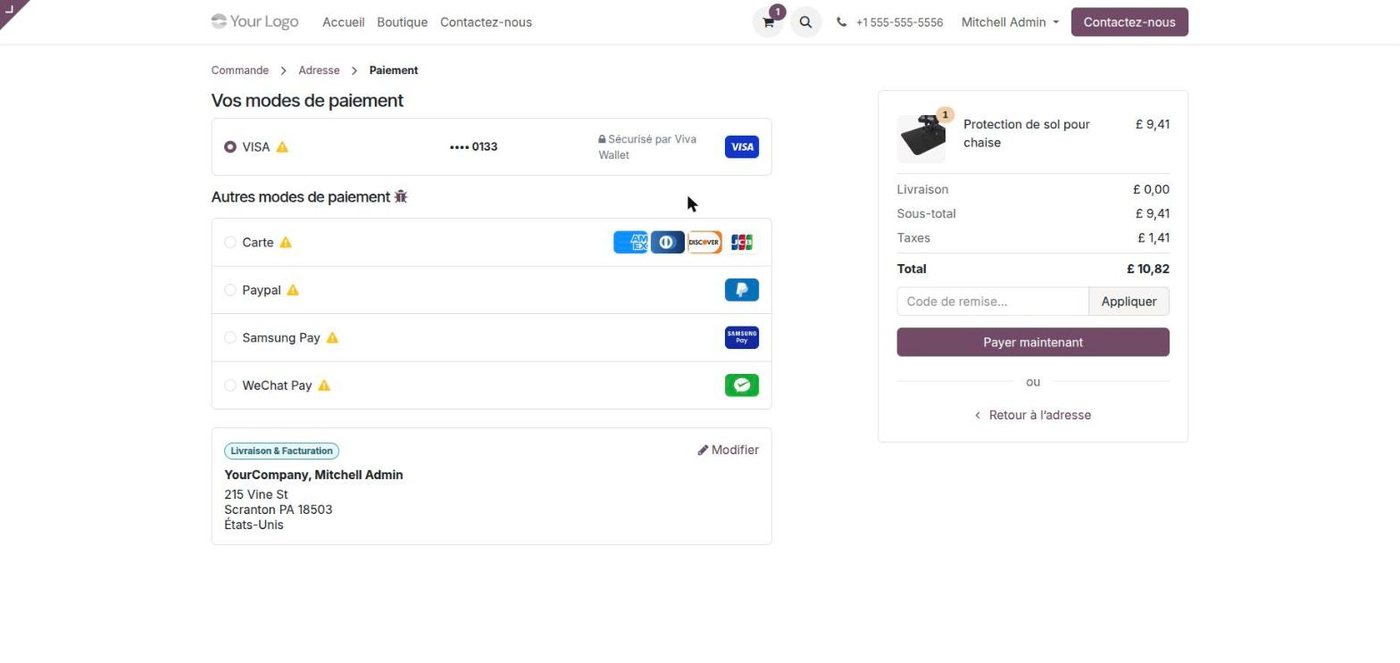
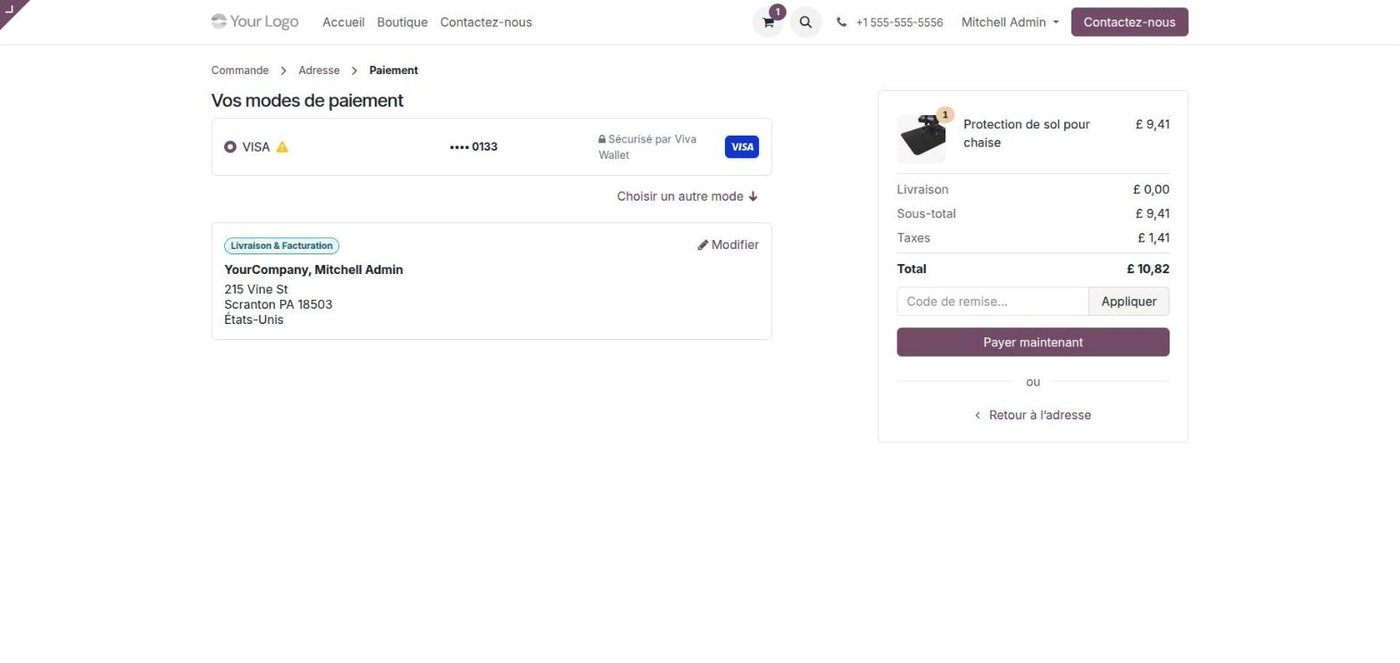
Logged-in customers can tick Save my payment details. Their next orders are paid in one click, directly from Odoo, without going back to the payment page. Odoo only keeps a reference to the Viva Wallet transaction and the last four digits: no card number ever reaches your database. Customers can also add a card from their portal with a zero-amount card verification.
Odoo Subscriptions paid automatically
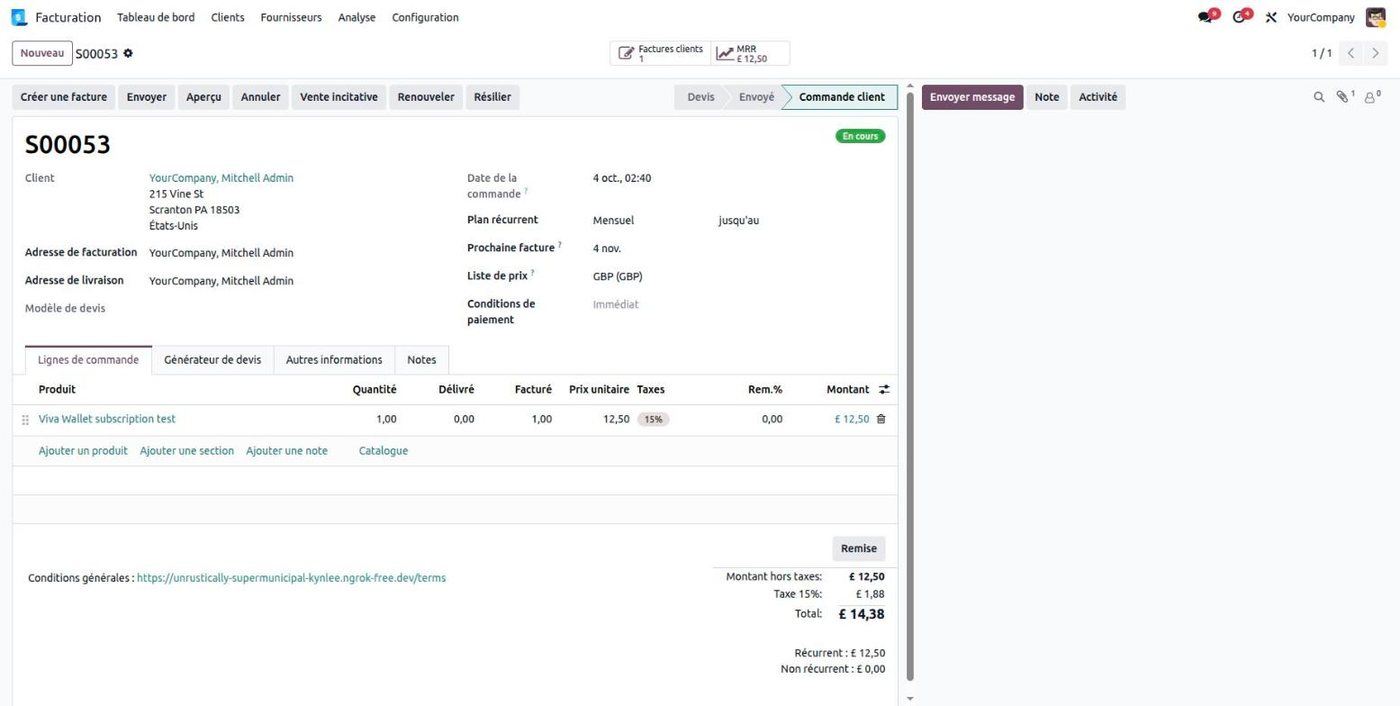
With Odoo Subscriptions, the card your customer saves on the first payment pays every renewal. On each renewal date, Odoo creates the invoice and charges the saved card through Viva Wallet, without the customer. No extra module is needed.
- Refused renewal: the subscription shows the bank's reason, the card stays saved and the renewal date does not move.
- Withdrawn consent: if the customer revokes the recurring consent of their card, Odoo stops charging it and asks for a new payment method at the next renewal.
- Lost result: if the result of a charge never reaches Odoo, it is recovered from Viva Wallet and the invoice is paid.
No paid order left behind
Even with webhooks, a notification can be lost. The module adds two safety nets:
- Hourly reconciliation: a scheduled action asks Viva Wallet for the real status of the payments still waiting in Odoo and confirms the paid ones.
- Recovery on upgrade: payments missed by an earlier version of the module are looked up on Viva Wallet and confirmed; doubtful cases get a note on the order for a human check.
The module is translated into 17 European languages plus English, and Smart Checkout opens in your customer's language. It is available for Odoo 17, 18, 19 and 20, Community and Enterprise.
FAQ
Which Odoo versions does the Viva Wallet module support?
Odoo 17, 18, 19 and 20, Community and Enterprise.
Do card numbers go through Odoo?
No. Customers pay on Viva Wallet's hosted Smart Checkout page. Saved cards are kept by Viva Wallet; Odoo only stores a reference and the last four digits.
Can I refund from Odoo?
Yes, fully or partially, from the payment or from a credit note. Refunds made in the Viva Wallet dashboard are also recorded in Odoo.
Does it work with Odoo Subscriptions?
Yes. Renewals are charged automatically on the card saved by the customer, with clear handling of refused renewals.
What happens if a webhook is lost?
An hourly reconciliation asks Viva Wallet for the real status of waiting payments and confirms the paid orders.
Can I test before going live?
Yes: use the provider's test mode with your Viva Wallet demo account.
Need help with Viva Wallet in Odoo?
We install, configure and adapt the module to your business. We also build Odoo payment modules for other banks and payment providers: see all our Odoo payment modules, or contact our team.