
Mondu for Odoo: B2B buy now, pay later for your business customers
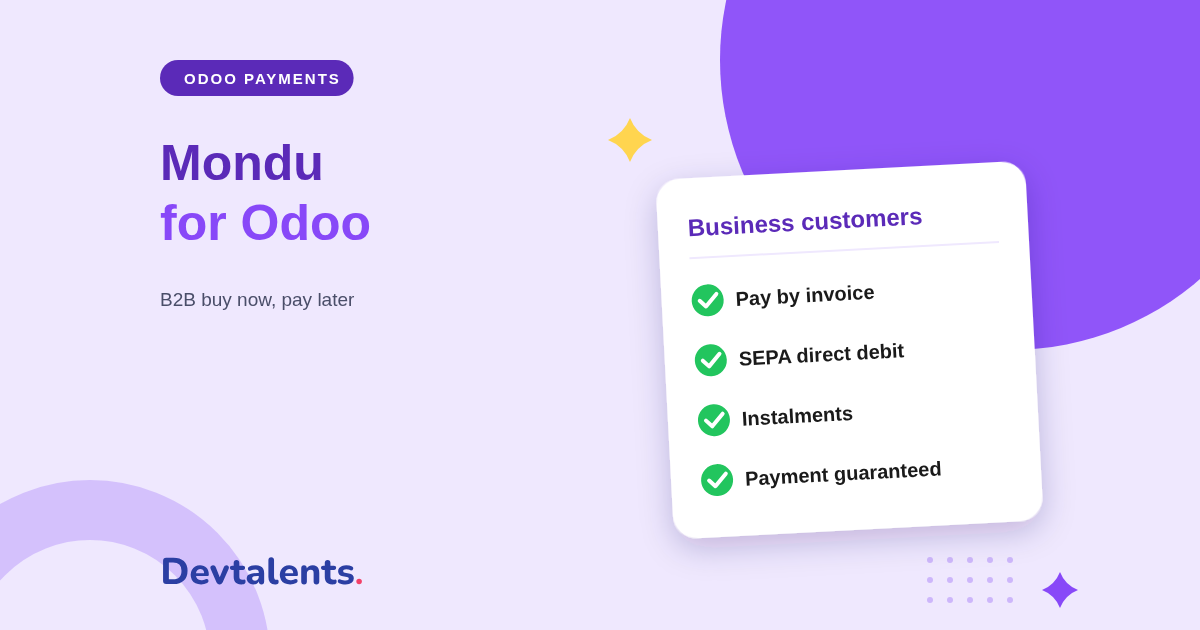
Mondu lets your business customers buy now and pay later, by invoice, by SEPA direct debit or in instalments, while Mondu pays you and carries the risk of non-payment. Our new Mondu module for Odoo connects all of it to your quotations, invoices and accounting.
In B2B sales, payment terms of 30 or 60 days are the norm, but they weigh on your cash flow and leave you exposed to late payers. Pay by invoice with Mondu solves both. This article covers what the Mondu Odoo integration does for your customers and your team, and how to get started.
In this article
- Why offer Mondu to your business customers
- Pay by invoice, SEPA or in instalments: the customer side
- From the Odoo invoice to the Mondu payout
- Credit notes, cancellations and follow-up in Odoo
- Countries, currencies and payment pages covered
- Setting up the Mondu module in Odoo
- Mondu and Odoo: frequently asked questions
Why offer Mondu to your business customers
Mondu is a European specialist of B2B buy now, pay later. It works like this: your customer picks Mondu at checkout, Mondu checks their company during the order and, once it approves, you get paid when you send the invoice. Your customer pays Mondu at the due date.
Payment terms become a selling point instead of a risk: no more chasing invoices, no unpaid invoices on your books, and cash flow that no longer depends on when your customer pays. Odoo does not offer Mondu out of the box: our module adds it to the Odoo payment methods.
Pay by invoice, SEPA or in instalments: the customer side
Mondu payment methods
Pay later by invoice with a bank transfer at the due date, pay later by SEPA direct debit, instalments by direct debit or bank transfer, and instant bank transfer. Which ones your customer sees depends on your Mondu contract and their country.
At checkout
The customer picks Mondu, completes the order on Mondu's secure page, where Mondu approves their company or not, and comes back to your website with the order confirmed. Mondu sends the payment instructions in their language.
Mondu is only offered to business customers: a private customer does not see it. Your regular customers can also open a Mondu account from the Odoo customer portal and pay all their orders on a monthly statement.
From the Odoo invoice to the Mondu payout
With Mondu, you get paid when the invoice is sent. So the module builds on what your team already does in Odoo:
- You post the customer invoice: it is sent to Mondu automatically and starts your payout.
- You ship in several deliveries: each partial invoice goes to Mondu, up to the amount of the order.
- The invoice is ready for Mondu: the PDF carries Mondu's legal notice, Mondu's bank account and the payment term, in the customer's language. Your own IBAN is hidden, so the buyer pays Mondu.
Credit notes, cancellations and follow-up in Odoo
- Refunds by credit note, in full or in part, from Odoo: Mondu lowers what the buyer owes, without opening the Mondu merchant portal.
- Cancellation before invoicing: if the order does not ship, you cancel it at Mondu from Odoo.
- No order confirmed on a message alone: the status of every order is read again from Mondu, and every amount is checked against the Odoo order before it is accepted.
- Never paid out twice: a notification received twice never confirms the order twice.
Countries, currencies and payment pages covered
Mondu serves business buyers in many European countries, including Germany, Austria, France, Belgium, the Netherlands, Spain and Italy, in euro, and in the United Kingdom in pound sterling. Payment terms of 14, 30, 60 or 90 days are available, depending on those set up on your Mondu account.
Mondu works on the Odoo payment pages: the eCommerce checkout, quotations with or without a down payment and invoices in the customer portal, with or without the Website app, and payment links sent from an order or an invoice.
Setting up the Mondu module in Odoo
The module is available for Odoo Community and Enterprise. See the Mondu module page. Getting started:
- ask Mondu for a test access, then for your live access after their review of the integration;
- in Odoo, open the Mondu payment provider, enter your access and test the connection;
- choose the default payment term, and whether Mondu is only offered to customers with a company name;
- place a test order on the Mondu test environment, then go live.
Mondu and Odoo: frequently asked questions
Can private customers pay with Mondu?
No. Mondu only finances purchases between businesses, so the module only offers Mondu to business customers. For private customers, split payments go through Oney or Alma.
When do I get paid?
Mondu pays you once the invoice is sent, that is when you post it in Odoo. The exact payout delay depends on your Mondu contract.
What if my customer pays late?
Mondu carries the risk: once the buyer is approved, your payment is guaranteed and Mondu handles the collection.
Does the module work on Odoo Online?
No. It is a third-party module, which Odoo Online does not accept. It installs on Odoo.sh or on your own server.
Can you install it for us?
Yes. We install the module, connect it to your Mondu account, set up the payment terms and the invoice, and check a complete order with you before going live.
Want to offer pay by invoice to your business customers?
Tell us which countries you sell in: we tell you what to install, or we do it for you. Contact us, ask for a demo or see the Mondu module page.